> ## Documentation Index
> Fetch the complete documentation index at: https://docs.scorecard.io/llms.txt
> Use this file to discover all available pages before exploring further.
# What Is Scorecard?
> The simulation platform for building frontier AI agents. Run thousands of realistic scenarios in minutes and ship new capabilities with confidence.
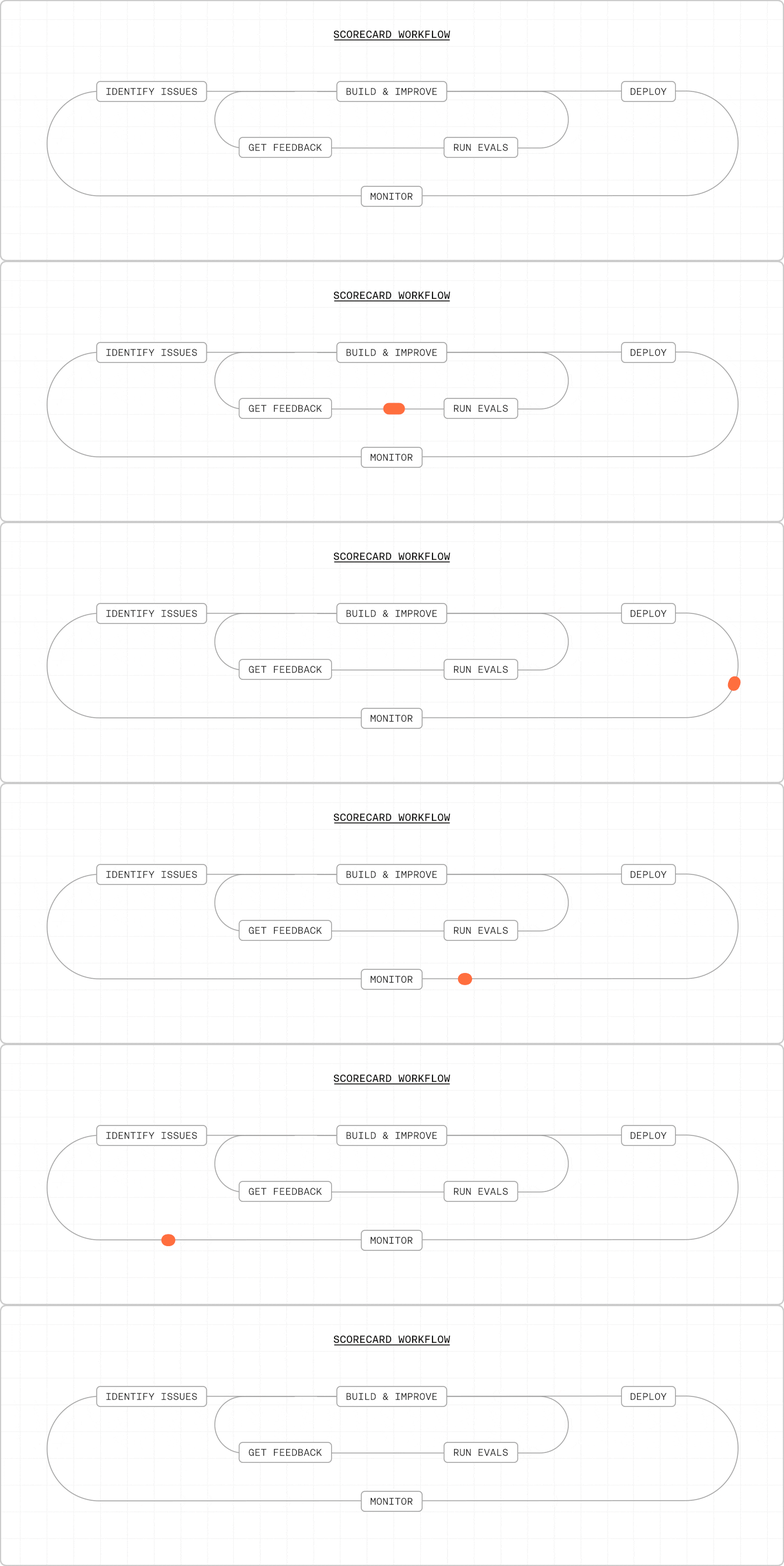 Scorecard is the simulation platform for AI agent self-improvement. Run your agents through thousands of realistic scenarios in minutes, encode expert judgment into scalable reward models, and ship frontier capabilities in days.
## The bottleneck is feedback, not building
Teams are building increasingly complex agents — multi-step workflows, consequential actions, real-world integrations. But the way most teams validate these agents hasn't kept up. The current approach is manual: review a handful of production cases, wait weeks for expert feedback, and hope nothing slips through.
This limits you to scenarios you've already seen. Edge cases stay hidden until they hit production. Expert time doesn't scale — every new capability means more review cycles, longer iteration loops, and slower releases.
The bottleneck has shifted from building to feedback. Scorecard flips this by turning expert judgment into automated reward models and replacing manual review with large-scale simulation.
**Traditional approach:** Review tens of production cases over weeks.
**Scorecard approach:** Simulate tens of thousands of scenarios in 30 minutes.
## How Scorecard works
Define reward criteria in natural language. Scorecard turns them into automated judges that score every scenario consistently and at scale.
[Learn about metrics →](/features/metrics)
Run your agent through thousands of realistic scenarios using AI-powered personas. Generate diverse test scenarios automatically — no manual case writing required.
[Multi-turn simulation →](/features/multi-turn-simulation) · [Synthetic data generation →](/features/synthetic-data-generation)
Quantitative A/B comparison across every metric. Iterate visually in the Playground with real-time feedback to find the best prompt, model, or architecture.
[A/B comparison →](/features/a-b-comparison) · [Playground →](/features/playground)
Integrate simulation into CI/CD so every pull request is validated automatically. Monitor production with tracing and feed real traffic back into your simulation suite.
[GitHub Actions →](/features/github-actions) · [Tracing →](/features/tracing)
## Works with your agent stack
Zero-code tracing. Set three environment variables and get full visibility into agent decisions, tool use, and costs.
Trace LangChain agents and chains with OpenTelemetry.
Works with OpenAI, Anthropic, Google, and any OpenTelemetry-compatible provider.
## Get started
Built by engineers from Waymo, Uber, and SpaceX who used large-scale simulation to ship autonomous vehicles, global logistics, and rockets — now applied to AI agents.
Set up Scorecard and run a simulation in minutes.
Start testing without writing code.
Book a demo and see Scorecard in action.
Email [support@scorecard.io](mailto:support@scorecard.io) for help getting started.
Scorecard is the simulation platform for AI agent self-improvement. Run your agents through thousands of realistic scenarios in minutes, encode expert judgment into scalable reward models, and ship frontier capabilities in days.
## The bottleneck is feedback, not building
Teams are building increasingly complex agents — multi-step workflows, consequential actions, real-world integrations. But the way most teams validate these agents hasn't kept up. The current approach is manual: review a handful of production cases, wait weeks for expert feedback, and hope nothing slips through.
This limits you to scenarios you've already seen. Edge cases stay hidden until they hit production. Expert time doesn't scale — every new capability means more review cycles, longer iteration loops, and slower releases.
The bottleneck has shifted from building to feedback. Scorecard flips this by turning expert judgment into automated reward models and replacing manual review with large-scale simulation.
**Traditional approach:** Review tens of production cases over weeks.
**Scorecard approach:** Simulate tens of thousands of scenarios in 30 minutes.
## How Scorecard works
Define reward criteria in natural language. Scorecard turns them into automated judges that score every scenario consistently and at scale.
[Learn about metrics →](/features/metrics)
Run your agent through thousands of realistic scenarios using AI-powered personas. Generate diverse test scenarios automatically — no manual case writing required.
[Multi-turn simulation →](/features/multi-turn-simulation) · [Synthetic data generation →](/features/synthetic-data-generation)
Quantitative A/B comparison across every metric. Iterate visually in the Playground with real-time feedback to find the best prompt, model, or architecture.
[A/B comparison →](/features/a-b-comparison) · [Playground →](/features/playground)
Integrate simulation into CI/CD so every pull request is validated automatically. Monitor production with tracing and feed real traffic back into your simulation suite.
[GitHub Actions →](/features/github-actions) · [Tracing →](/features/tracing)
## Works with your agent stack
Zero-code tracing. Set three environment variables and get full visibility into agent decisions, tool use, and costs.
Trace LangChain agents and chains with OpenTelemetry.
Works with OpenAI, Anthropic, Google, and any OpenTelemetry-compatible provider.
## Get started
Built by engineers from Waymo, Uber, and SpaceX who used large-scale simulation to ship autonomous vehicles, global logistics, and rockets — now applied to AI agents.
Set up Scorecard and run a simulation in minutes.
Start testing without writing code.
Book a demo and see Scorecard in action.
Email [support@scorecard.io](mailto:support@scorecard.io) for help getting started.