> ## Documentation Index
> Fetch the complete documentation index at: https://docs.scorecard.io/llms.txt
> Use this file to discover all available pages before exploring further.
# MCP Server Integration
> Use AI assistants as your evaluation companion with Scorecard's Model Context Protocol server
export const DarkLightImage = ({lightSrc, caption, alt, darkSrc = null, width = "1000"}) => {
const getAbsoluteUrl = src => {
if (src.startsWith('http://') || src.startsWith('https://')) {
return src;
}
const currentUrl = typeof window !== 'undefined' ? window.location.origin : '';
if (currentUrl.includes('.mintlify.app')) {
const subdomain = currentUrl.split('.')[0].replace('https://', '');
return `https://mintlify.s3.us-west-1.amazonaws.com/${subdomain}${src.startsWith('/') ? '' : '/'}${src}`;
} else if (currentUrl === 'https://docs.scorecard.io') {
return `https://mintlify.s3.us-west-1.amazonaws.com/scorecard-d65b5e8a${src.startsWith('/') ? '' : '/'}${src}`;
} else {
return `${currentUrl}${src.startsWith('/') ? '' : '/'}${src}`;
}
};
const content = <>
})
 ;
if (caption) {
return {content};
} else {
return content;
}
};
## Overview
Scorecard's MCP (Model Context Protocol) server lets you manage projects, create testsets, configure metrics, run evaluations, and analyze results through natural language in any MCP-compatible client.
## Available Tools
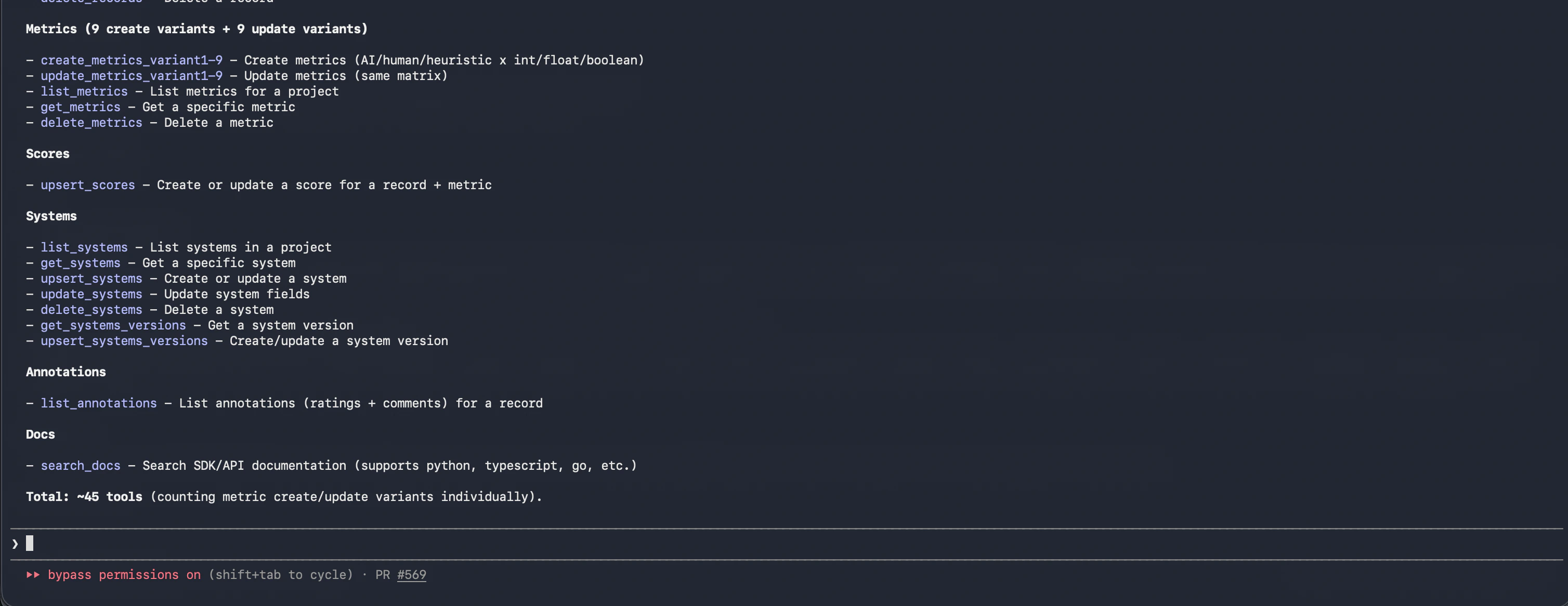
The MCP server has \~45 tools covering projects, testsets, testcases, systems, metrics, runs, records, scores, and annotations, plus documentation search. Each tool maps to a Scorecard API operation, so anything the SDK can do is available in natural language. The [full tool reference](#tool-reference) is at the bottom of this page.
;
if (caption) {
return {content};
} else {
return content;
}
};
## Overview
Scorecard's MCP (Model Context Protocol) server lets you manage projects, create testsets, configure metrics, run evaluations, and analyze results through natural language in any MCP-compatible client.
## Available Tools
The MCP server has \~45 tools covering projects, testsets, testcases, systems, metrics, runs, records, scores, and annotations, plus documentation search. Each tool maps to a Scorecard API operation, so anything the SDK can do is available in natural language. The [full tool reference](#tool-reference) is at the bottom of this page.
 ## Setting Up the MCP Server
### Claude Code
Add the Scorecard remote MCP server with a single command:
```bash theme={null}
claude mcp add --transport http scorecard https://mcp.scorecard.io/mcp
```
Complete the OAuth authentication flow in your browser when prompted. Verify the connection:
```bash theme={null}
claude mcp list
```
You should see `scorecard: https://mcp.scorecard.io/mcp (HTTP) - ✓ Connected`.
### Claude Desktop
Go to Claude Desktop settings and click the "Connectors" tab. Click "Add custom connector" and paste the URL: `https://mcp.scorecard.io/mcp`. Click "Add", then "Connect" to login to Scorecard.
### Local configuration
You can run the MCP server locally via npx:
```sh theme={null}
export SCORECARD_API_KEY="your_api_key"
npx -y scorecard-ai-mcp@latest
```
For clients with a configuration JSON:
```json theme={null}
{
"mcpServers": {
"scorecard_ai": {
"command": "npx",
"args": ["-y", "scorecard-ai-mcp", "--client=claude", "--tools=dynamic"],
"env": {
"SCORECARD_API_KEY": "ak_MyAPIKey"
}
}
}
}
```
## Examples
### Create a project and testset
```
Create a new Scorecard project called "Support Bot Eval". Then create a testset
called "Support Scenarios" with 10 testcases. Each testcase should have:
- inputs: "customerMessage" and "category" (billing, technical, or product)
- expected: "idealResponse"
```
### Create metrics
```
Create two metrics in the "Support Bot Eval" project:
1. "Response Accuracy" (integer 1-5) - How well does the response answer the question?
2. "Tone" (boolean) - Is the response professional and empathetic?
```
### Analyze results
```
Show me the latest run results for the "Support Bot Eval" project.
Which testcases scored lowest on Response Accuracy?
```
### Review human feedback
```
For the latest run in the "Support Bot Eval" project, list the annotations on
each record and summarize the thumbs-down ratings. What do reviewers complain
about most?
```
### Generate testcases from a codebase
In Claude Code, you can combine file access with the MCP server:
```
Read the API routes in src/api/ and generate 20 testcases covering
the edge cases for each endpoint. Add them to the "API Tests" testset
in project 1234.
```
### Iterate on metrics
```
The "Response Accuracy" metric is too lenient — update the prompt template
to penalize responses that miss key details from the ideal response.
```
## Technical Details
* Built on the [Model Context Protocol](https://modelcontextprotocol.io/) standard
* Compatible with any MCP client (Claude Code, Claude Desktop, Cursor, and more)
* Secured with OAuth authentication
* Open source: [github.com/scorecard-ai/scorecard-mcp](https://github.com/scorecard-ai/scorecard-mcp)
## Tool reference
| Tool | Description |
| ----------------- | ------------------------------------------------------ |
| `list_projects` | List all projects, paginated and ordered oldest first. |
| `create_projects` | Create a new project with a name and description. |
| Tool | Description |
| ----------------- | ------------------------------------------------------------------------------------------------ |
| `list_testsets` | List the testsets in a project. |
| `get_testsets` | Retrieve a single testset by ID. |
| `create_testsets` | Create a testset, defining its JSON schema and the field mapping (inputs / expected / metadata). |
| `update_testsets` | Update a testset's name, description, schema, or field mapping. |
| `delete_testsets` | Delete a testset. |
| Tool | Description |
| ------------------ | ---------------------------------------------------------------------- |
| `list_testcases` | List the testcases in a testset, paginated. |
| `get_testcases` | Retrieve a single testcase by ID. |
| `create_testcases` | Create up to 100 testcases in a testset, validated against its schema. |
| `update_testcases` | Replace the data of an existing testcase. |
| `delete_testcases` | Delete one or more testcases by ID. |
| Tool | Description |
| ------------------------- | ---------------------------------------------------------------------------------- |
| `list_systems` | List the systems (systems under test) in a project. |
| `get_systems` | Retrieve a single system by ID. |
| `upsert_systems` | Create a system, or update the existing one if a system with the same name exists. |
| `update_systems` | Update a system's name, description, or production version. |
| `delete_systems` | Delete a system definition (its versions are kept). |
| `get_systems_versions` | Retrieve a single system version by ID. |
| `upsert_systems_versions` | Create an immutable system version from a config snapshot. |
| Tool | Description |
| ---------------- | ------------------------------------------------------------------ |
| `list_metrics` | List the metrics configured for a project. |
| `get_metrics` | Retrieve a single metric by ID. |
| `create_metrics` | Create a metric for evaluating outputs. |
| `update_metrics` | Update an existing metric. |
| `delete_metrics` | Delete a metric (also removes it from metric groups and monitors). |
The server splits `create_metrics` and `update_metrics` into one variant per metric type, so the structure of the call depends on the metric's `evalType` (`ai`, `human`, or `heuristic`) and `outputType` (integer or boolean). Your client picks the right variant automatically based on the metric you describe.
| Tool | Description |
| ------------- | ------------------------------------------------------------------------------- |
| `list_runs` | List the runs in a project, most recent first. |
| `get_runs` | Retrieve a run by ID, including its status and scoring progress. |
| `create_runs` | Create a run against a testset with a chosen system version and set of metrics. |
| Tool | Description |
| ---------------- | -------------------------------------------------------------------------- |
| `list_records` | List the records for a run, including all scores on each record. |
| `create_records` | Create a record capturing a system's inputs, outputs, and expected values. |
| `delete_records` | Delete a record by ID. |
| `upsert_scores` | Create or update a record's score for a given metric. |
| Tool | Description |
| ------------------ | ----------------------------------------------- |
| `list_annotations` | List the ratings and comments left on a record. |
| Tool | Description |
| ------------- | ------------------------------------------------------------------------ |
| `search_docs` | Search Scorecard's SDK and API documentation across supported languages. |
## Setting Up the MCP Server
### Claude Code
Add the Scorecard remote MCP server with a single command:
```bash theme={null}
claude mcp add --transport http scorecard https://mcp.scorecard.io/mcp
```
Complete the OAuth authentication flow in your browser when prompted. Verify the connection:
```bash theme={null}
claude mcp list
```
You should see `scorecard: https://mcp.scorecard.io/mcp (HTTP) - ✓ Connected`.
### Claude Desktop
Go to Claude Desktop settings and click the "Connectors" tab. Click "Add custom connector" and paste the URL: `https://mcp.scorecard.io/mcp`. Click "Add", then "Connect" to login to Scorecard.
### Local configuration
You can run the MCP server locally via npx:
```sh theme={null}
export SCORECARD_API_KEY="your_api_key"
npx -y scorecard-ai-mcp@latest
```
For clients with a configuration JSON:
```json theme={null}
{
"mcpServers": {
"scorecard_ai": {
"command": "npx",
"args": ["-y", "scorecard-ai-mcp", "--client=claude", "--tools=dynamic"],
"env": {
"SCORECARD_API_KEY": "ak_MyAPIKey"
}
}
}
}
```
## Examples
### Create a project and testset
```
Create a new Scorecard project called "Support Bot Eval". Then create a testset
called "Support Scenarios" with 10 testcases. Each testcase should have:
- inputs: "customerMessage" and "category" (billing, technical, or product)
- expected: "idealResponse"
```
### Create metrics
```
Create two metrics in the "Support Bot Eval" project:
1. "Response Accuracy" (integer 1-5) - How well does the response answer the question?
2. "Tone" (boolean) - Is the response professional and empathetic?
```
### Analyze results
```
Show me the latest run results for the "Support Bot Eval" project.
Which testcases scored lowest on Response Accuracy?
```
### Review human feedback
```
For the latest run in the "Support Bot Eval" project, list the annotations on
each record and summarize the thumbs-down ratings. What do reviewers complain
about most?
```
### Generate testcases from a codebase
In Claude Code, you can combine file access with the MCP server:
```
Read the API routes in src/api/ and generate 20 testcases covering
the edge cases for each endpoint. Add them to the "API Tests" testset
in project 1234.
```
### Iterate on metrics
```
The "Response Accuracy" metric is too lenient — update the prompt template
to penalize responses that miss key details from the ideal response.
```
## Technical Details
* Built on the [Model Context Protocol](https://modelcontextprotocol.io/) standard
* Compatible with any MCP client (Claude Code, Claude Desktop, Cursor, and more)
* Secured with OAuth authentication
* Open source: [github.com/scorecard-ai/scorecard-mcp](https://github.com/scorecard-ai/scorecard-mcp)
## Tool reference
| Tool | Description |
| ----------------- | ------------------------------------------------------ |
| `list_projects` | List all projects, paginated and ordered oldest first. |
| `create_projects` | Create a new project with a name and description. |
| Tool | Description |
| ----------------- | ------------------------------------------------------------------------------------------------ |
| `list_testsets` | List the testsets in a project. |
| `get_testsets` | Retrieve a single testset by ID. |
| `create_testsets` | Create a testset, defining its JSON schema and the field mapping (inputs / expected / metadata). |
| `update_testsets` | Update a testset's name, description, schema, or field mapping. |
| `delete_testsets` | Delete a testset. |
| Tool | Description |
| ------------------ | ---------------------------------------------------------------------- |
| `list_testcases` | List the testcases in a testset, paginated. |
| `get_testcases` | Retrieve a single testcase by ID. |
| `create_testcases` | Create up to 100 testcases in a testset, validated against its schema. |
| `update_testcases` | Replace the data of an existing testcase. |
| `delete_testcases` | Delete one or more testcases by ID. |
| Tool | Description |
| ------------------------- | ---------------------------------------------------------------------------------- |
| `list_systems` | List the systems (systems under test) in a project. |
| `get_systems` | Retrieve a single system by ID. |
| `upsert_systems` | Create a system, or update the existing one if a system with the same name exists. |
| `update_systems` | Update a system's name, description, or production version. |
| `delete_systems` | Delete a system definition (its versions are kept). |
| `get_systems_versions` | Retrieve a single system version by ID. |
| `upsert_systems_versions` | Create an immutable system version from a config snapshot. |
| Tool | Description |
| ---------------- | ------------------------------------------------------------------ |
| `list_metrics` | List the metrics configured for a project. |
| `get_metrics` | Retrieve a single metric by ID. |
| `create_metrics` | Create a metric for evaluating outputs. |
| `update_metrics` | Update an existing metric. |
| `delete_metrics` | Delete a metric (also removes it from metric groups and monitors). |
The server splits `create_metrics` and `update_metrics` into one variant per metric type, so the structure of the call depends on the metric's `evalType` (`ai`, `human`, or `heuristic`) and `outputType` (integer or boolean). Your client picks the right variant automatically based on the metric you describe.
| Tool | Description |
| ------------- | ------------------------------------------------------------------------------- |
| `list_runs` | List the runs in a project, most recent first. |
| `get_runs` | Retrieve a run by ID, including its status and scoring progress. |
| `create_runs` | Create a run against a testset with a chosen system version and set of metrics. |
| Tool | Description |
| ---------------- | -------------------------------------------------------------------------- |
| `list_records` | List the records for a run, including all scores on each record. |
| `create_records` | Create a record capturing a system's inputs, outputs, and expected values. |
| `delete_records` | Delete a record by ID. |
| `upsert_scores` | Create or update a record's score for a given metric. |
| Tool | Description |
| ------------------ | ----------------------------------------------- |
| `list_annotations` | List the ratings and comments left on a record. |
| Tool | Description |
| ------------- | ------------------------------------------------------------------------ |
| `search_docs` | Search Scorecard's SDK and API documentation across supported languages. |