> ## Documentation Index
> Fetch the complete documentation index at: https://docs.scorecard.io/llms.txt
> Use this file to discover all available pages before exploring further.
# Product Updates
> New updates and improvements
export const DarkLightImage = ({lightSrc, caption, alt, darkSrc = null, width = "1000"}) => {
const getAbsoluteUrl = src => {
if (src.startsWith('http://') || src.startsWith('https://')) {
return src;
}
const currentUrl = typeof window !== 'undefined' ? window.location.origin : '';
if (currentUrl.includes('.mintlify.app')) {
const subdomain = currentUrl.split('.')[0].replace('https://', '');
return `https://mintlify.s3.us-west-1.amazonaws.com/${subdomain}${src.startsWith('/') ? '' : '/'}${src}`;
} else if (currentUrl === 'https://docs.scorecard.io') {
return `https://mintlify.s3.us-west-1.amazonaws.com/scorecard-d65b5e8a${src.startsWith('/') ? '' : '/'}${src}`;
} else {
return `${currentUrl}${src.startsWith('/') ? '' : '/'}${src}`;
}
};
const content = <>
;
if (caption) {
return {content};
} else {
return content;
}
};
### Bug Fixes and Improvements
* **\[Compare]** Each record card has a **Scores** tab, so you can compare records on quality. Add a score or record a human score inline without leaving the page.
* **\[Compare]** Chat over both compared records' traces at once. The answer labels each side (Trace A / Trace B) and its span citations link back to that record.
* **\[Compare]** A **Model preference** panel under the two cards lets you pick Record A or Record B for each human binary metric they share, writing a pass to the chosen side and a fail to the other.
* **\[Compare]** Pick each record from a per-slot table with search, toggleable columns, and infinite scroll, and filter it by clicking a metric's pass/fail badge or the **Assigned to Me** toggle. The per-card **Trajectory** tab is gone.
* **\[Compare]** A shared **Expected** column sits between the two cards in place of the per-card Expected tab, and labels both values when they differ.
* **\[Records]** New **Assigned to Me** quick filter, and bulk **assign / unassign** across selected records from the row-selection menu in a single request.
* **\[Records]** Filter records by a specific metric's **pass**, **fail**, or **pending** status.
* **\[Records]** Export your columns and widgets as JSON and import them into another project to reuse a view.
* **\[Records]** One **Columns** control now toggles and drag-reorders columns in a single popover, replacing the Edit Table modal. Tag chips in the table are clickable to filter.
* **\[Records]** An **Assigned to** widget on the overview, and the `assigned.to` filter pill shows the member's avatar and name instead of a raw id.
* **\[Records]** The record details panel scrolls as one region so nothing gets clipped, and pending score rows are static and neutral instead of pulsing.
* **\[Playground]** Added **Claude Sonnet 5** and **Claude Fable 5**, and refreshed model pricing and context-window data.
* **\[API]** New public endpoints to [assign](/api-reference/assign-record-user), [unassign](/api-reference/unassign-record-user), and [list](/api-reference/list-record-assignees) a record's assignees.
### Compare records side by side
A new **Compare** page puts records next to each other in full-width cards so you can read their outputs side by side, with each record's inputs and expected answer alongside. Select text in an output to annotate that passage. Saved annotations stay highlighted inline, and hovering one shows its author and comment.
### Assign records to teammates
Assign organization members to a [record](/features/records) from the picker in the record details panel, beside Tags. The records table has an optional **Assignees** column, and typing `assigned.to:` in the search bar narrows the table to one person's records.
### Import a testset from an agent transcript
**Import from transcript** on a project's [Testsets](/features/testsets) page takes a pasted or dropped agent-session transcript, such as a Claude Code `session.jsonl`, and pulls out the moments where the agent should have acted differently. Each one becomes a testcase in a new testset, with the prompt as input and the expected behavior as the label. Analysis can take a couple of minutes. Closing the dialog doesn't cancel it, and a toast reports the result when it finishes.
### Bug Fixes and Improvements
* **\[Records]** Clicking a session attachment opens a preview sheet instead of downloading the file. Images, PDFs, video, audio, markdown, and code render inline, and download is a separate button.
* **\[Records]** Markdown tables in record outputs render as tables instead of raw pipes.
* **\[Onboarding]** The onboarding page shows the organization API key to admins again instead of "No API key found".
* **\[API]** [Record creation](/api-reference/create-record) accepts an optional `sessionId`, so records created through the API or SDK join that session's traces and attachments.
### Session attachments
You can now attach files to a session and see them next to its [record](/features/records). Attachments appear in a **Files** card in the record details panel and in an **Attachments** tab, and any file an agent read or wrote shows up as a clickable chip inline in the conversation, on the turn that mentions it. Upload runs through the API: declare the file, upload the bytes, then commit.
### Records overview widgets
The [Records](/features/records) page now has a widget board at the top that you can customize. Add a **Volume** widget to see record ingest over time, or a **Metric** widget to track a metric's pass rate — either as a snapshot or a stacked pass/fail/ungraded chart over time. Widgets follow the table's active filters, and your layout is saved per project.
### Skills in Trace Chat
Trace chat accepts skill attachments. Attach a `.skill` bundle or a plain `.md` file and the chat follows its instructions when it analyzes a trace — for example, checking a run against a bundled rubric. Skills stay attached per project and pull in their reference files as needed.
### Bug Fixes and Improvements
* **\[Records]** You can build filters by typing. Enter a field name and a colon (e.g. `status:`) to start a pill, and typed values like metric or creator names resolve to the right filter value when you commit.
* **\[Records]** Fixed the filter popovers overlapping the field dropdown and closing when you clicked their scrollbar.
### Bug Fixes and Improvements
* **\[UI]** Removed the **Temperature**, **Maximum Length**, and **Top P** controls. New configurations run at each provider's defaults; existing versions keep their stored parameters, and you can still set them through the API and SDK.
* **\[Records]** Scoring records with a hidden metric column now reveals that column automatically, with scores filling in as jobs finish.
* **\[Onboarding]** The Claude Agent SDK snippets now include `OTEL_LOG_USER_PROMPTS`, `OTEL_LOG_TOOL_DETAILS`, and `OTEL_LOG_TOOL_CONTENT`.
* **\[API]** Record creation (`POST /v2/runs/:runId/records`) now accepts bodies up to 15MB, and oversized requests return a `413` instead of a `500`.
### 💬 Conversation View Is Now the Default
The record details page now opens on the threaded **Conversation** view by default, so you land directly on the human-readable agent run instead of the raw span tree. The span tree + details view has been renamed to **Debug** and moved to the end of the tab order to signal it as a developer/inspection tool. Tabs now read **Conversation, Timeline, Chat, Scores, Debug**, and clicking a span from any tab still jumps into Debug with that span selected.
### 🔽 Expand All / Collapse All in Conversation View
Two quality-of-life upgrades for the Conversation view:
* **Expand all / Collapse all**: A new inline toggle in the Conversation tab header expands or collapses every tool step, compact-turn preview, and long user-turn "Show more" at once. Subagent steps nested inside an `Agent` tool call respect it too, and per-step buttons keep working normally after a bulk action.
* **Persistent collapse state**: Expanding a step and then switching to Timeline, Chat, or Debug no longer resets everything — what you expanded stays expanded when you come back.
### 📊 Annotations Column
The Records page now has an opt-in **Annotations** column that surfaces reviewer feedback directly in the table. Each cell shows a compact badge with the total count and per-rating breakdown (👍 / 👎 / 💬). Click the badge to open a popover listing each annotation's author, rating, and comment — no need to open the record details.
Toggle it on via **Edit Table → Additional → Annotations**. Annotations are joined into the records query in a single round-trip, so adding the column doesn't slow down page loads.
### 💬 Trace Comparison in Chat
The Trace **Chat tab** now lets you load additional records — from the current project or any other project you have access to — and ask the model to compare them side-by-side. Use the new **Comparing** picker next to the model selector, multi-select the records you want, and the chat will diff the primary trace (labeled **A**) against the comparisons (**B**, **C**, **D**, …).
Useful for debugging regressions ("why did this run fail when the previous one passed?") or comparing approaches across projects.
### 🛠️ Bug Fixes and Improvements
* **\[Records]** Resizing the record details right panel no longer stutters — width now updates via the DOM directly during drag, with no re-renders on the records table or history chart.
* **\[AI]** Refreshed the LiteLLM model catalog so `gemini/gemini-3.5-flash` (the current default model) resolves correctly and no longer falls through to an error path for orgs without a custom-model override.
### 💬 Conversation View Improvements
Several upgrades to the threaded **Conversation view** on the record details page (Claude Code traces) to make debugging agent runs faster.
* **Tool execution errors**: Failed tool calls now show a red **Error** pill on the row, a one-line truncated error preview when collapsed, and a full error block above the tool result when expanded. This catches a class of failures (like blocked `Agent` invocations) that previously rendered as normal successes because they signaled the failure via a `success: "false"` attribute instead of an OpenTelemetry error status.
* **Inline sub-agent steps**: Sub-agent runs spawned by Claude Code's `Agent` tool are now rendered inline under the expanded parent tool call. Each nested LLM turn shows its header, thinking, and tool steps just like a top-level turn, and sub-agents that themselves invoke `Agent` nest recursively — so you can follow a multi-level agent run without leaving the conversation view.
### 🔗 Clickable Span Links in Trace Chat
Span references that the **Chat tab** (the AI-powered trace summary) emits in its responses are now clickable. Clicking one jumps to the **Spans** tab, selects the matching span, and auto-scrolls the span tree to bring it into view.
### 📤 Export Annotations as JSON
We replaced the old CSV/XLSX annotation exports with a single, much more useful **Export as JSON** option. Annotations are now inlined into the regular trace JSON: each annotation hangs off the exact span it was made on (record-level and orphan annotations attach to the trace itself), and each one carries the annotator's name. You get the full trace context alongside your labels in one file — ready for downstream analysis, training data, or review workflows.
### 📊 Records Analysis
The Records page now features an AI-powered **Records Analysis** banner that automatically spots patterns across your latest records — like high failure rates, scoring anomalies, factual hallucinations, or stuck records.
When you expand the banner, you'll see a list of insights ranked by severity (critical, warning, info), each with a description of the detected pattern. Click the **filter icon** next to any insight to instantly filter the records table to the relevant subset.
The analysis automatically refreshes as new records come in, and you can manually trigger a refresh at any time. The footer shows when the analysis was last generated, how many records were analyzed, and how many unique patterns were detected.
### 📊 Run Details Page
We've made several improvements to the Run Details page for a better evaluation review experience:
* **Resizable popovers**: The scoring popover and column cells can now be resized, giving you more room to inspect detailed outputs
* **Markdown rendering in cells**: Text outputs inside column cells now render markdown for improved readability
* **Markdown in scoring reasoning**: The reasoning section on the score popover now renders markdown, making structured explanations easier to follow
### 🔍 Traces
* **Export annotations as CSV**: You can now export your trace annotations directly as a CSV file for offline analysis and reporting
* **New Chat tab**: Traces now include a dedicated **Chat tab** that provides an AI-powered summary of the trace. Ask questions about the trace to quickly understand what happened without manually inspecting every span.
### 🚀 Records Page Performance
* **Faster page loading**: We significantly improved the performance of the Records page, so it loads quicker even with large datasets
* **Faster search**: Searching records on the page is now noticeably faster, helping you find what you need without delay
### 💬 Conversation Tab
The record details page now includes a dedicated **Conversation tab** that displays multi-turn interactions in an easy-to-read chat format. This makes it much simpler to review and debug conversational AI outputs without parsing through raw JSON.
### 📥 Records CSV Export
You can now export records directly from the Records page as a CSV file. This makes it easy to share evaluation results with stakeholders, perform offline analysis, or integrate with external tools.
### 🔍 Arbitrary String Search in Records
The Records page now supports full-text search across all record fields. Search for any substring in inputs, outputs, or expected values to quickly find specific records you're looking for.
### Records page
The Records page is now more powerful for debugging and triaging large runs: you can pull useful fields into dedicated columns, sort and filter more precisely, and quickly jump to "what I just ran."
* **Extract columns from inputs, outputs, and expected**: Expand inputs/outputs/expected objects into separate per-field columns so you can scan specific keys without opening each record.
* **Reorder columns**: Reorder columns in the table editor (drag-and-drop) and save your preferred layout.
* **Created At/By columns**: See when a record was created and who kicked off the run that produced it.
* **Created At/By filters**: Filter by a time range and/or by the run creator to focus on the records you care about.
* **Sort by Created At**: Sort the table by record creation time to see newest records first (and quick filters will set this automatically).
* **New quick filters**: Narrow down to common views like **My Recent Records** with a new "Quick Filters" menu.
### Simpler projects navigation
We removed the standalone projects page and made project switching faster by showing project information in the top navigation.
### New metric templates
We updated our built-in metric templates to help you get started faster with common evaluation goals (and reduce the amount of prompt engineering needed to create a high-signal judge).
Our templates now include **Hallucination detection**, **Response completeness**, **PII leakage**, **Coherency**, **User intent fulfillment**, **Content moderation**, **Source attribution quality**, **Bias**, and **Conciseness**.
### 🛠️ Bug Fixes and Improvements
* Added a new "Help" menu in the sidebar with a "Send Feedback" option.
* **\[New models]** Added support for GPT 5.2 released this week.
### New playground
We've introduced a workflow-based playground UI. It offers the same functionality as the previous playground, but with a more intuitive structure that makes the relationship between testcases, prompts, and results clearer. The new interface is still experimental and currently enabled only for newly created Scorecard organizations. If you'd like early access, let us know! We're iterating quickly based on feedback.
### New records page
We've added a consolidated Records page that lists every record across all runs. This unlocks new workflows, including viewing testcase performance history, identifying testcases that failed specific metrics, and filtering records by substring. Eventually, this will replace the existing Runs & Results page.
### Onboarding wizard
When you create a new project, you'll now see a guided onboarding wizard to help you get started faster. Based on your use case, we recommend an onboarding path (testsets, tracing, or SDK) and suggest a set of metrics to begin with.
### 🛠️ Bug Fixes and Improvements
* **\[UI]** Descriptions are now optional when creating systems, endpoints, and metric groups.
* **\[Metrics]** Replaced the "Create" and "Edit" metric modals with a new full-page metric editor.
* **\[Metrics]** Added a "Recently used" badge to the metric card to quickly identify metrics that were recently used in a run.
* **\[Testsets]** Improved testset schema modal by removing tabs.
* **\[Runs]** Fixed newline handling when exporting a run (or testset) to Excel-compatible CSV.
* **\[Tracing]** We removed the "Monitoring" page and combined it with the existing "Traces" page.
* **\[UI]** Simplified the sidebar navigation by moving lower-traffic pages into an auto-collapsed Advanced section.
* **\[UI]** Added page descriptions to headers throughout the app
### 🤖 New Model Support
Added support for the latest models, including **GPT 5.1** and **Gemini 3 Pro**. Try them out and let us know what you think!
### 🔎 Monitor Visibility on Traces Page
The traces page now displays a table of active monitors, making it easier to configure and manage monitors.
### 🏃 Monitors "Run now" feature
The "Run now" button on the monitors page allows you to run a monitor immediately, without having to wait for the next scheduled run. Now, the feature supports selecting a custom "look back" time range.
### 🔎 Filter Runs by Source
You can now filter runs by their source (API, Monitor, Playground, or Kickoff), helping you quickly find runs created from specific workflows.
### 🛠️ Bug Fixes and Improvements
* **\[Testsets]** Improved the testset schema editor for a better editing experience.
* **\[Metrics]** Fixed the empty state display for the metric groups tab.
* **\[Testsets]** Fixed a bug where editing different fields in the same testcase could lose the first change.
* **\[Docs]** Improved navigation on this documentation site.
* **\[Internal]** Upgraded to Next.js 16 for better performance.
This week, we focused on improving metrics.
### 🔄 Re-run Scoring for Existing Runs
You can now re-run scoring with the latest version of a metric or add new metrics to existing runs without having to re-run your system. This makes it much faster to iterate on metrics!
### 🧑💻 Heuristic Code Runners
Metrics now support custom code-based evaluation logic. This allows you to write your own evaluation logic in Python or Typescript.
### 📏 Improved Metric Details Page
We overhauled the metric details page to make it easier to edit metrics.
With the metric template preview, you can see your instructions to the LLM-as-a-judge will render without running the metric.
**"Recently used" badge**: Quickly identify metrics that were recently used in a run.
### 🔍 Improved Trace Search
The traces page now supports filtering making it easier to find exactly what you're looking for.
* **Trace ID**: Filter by the root trace ID
* **Run ID**: Filter by the trace's run ID
* **Service**: Filter by the OpenTelemetry service name
* **Span Name**: Filter for runs containing a span with the given name
### 🚀 New API Endpoints
Added a [Delete Metric](/api-reference/delete-metric) endpoint.
### 🛠️ Bug Fixes and Improvements
* **\[Runs]** Added a "Notes" column to the runs table for better organization
This week, we focused on improving the tracing and monitoring features.
### 📊 Improved Trace Details UX
The trace details page now features a **collapsible span tree** and better scrolling behavior for easier navigation through long, highly nested traces.
### 🔗 Automatic Trace Grouping
In your traces, you can use the `scorecard.tracing_group_id` span attribute to automatically group traces into runs based on a custom identifier. This makes it easier to track and analyze multi-step workflows or batch operations.
### 🎯 Cross-Project Monitoring
If you choose, monitors can now pick up traces from any project in your organization, allowing you to set up centralized monitoring rules across your entire workspace.
### 🔎 Span Name Regex Filter for Monitors
Added a **"Span name (regex)"** filter to monitors, giving you more precise control over which spans trigger your monitoring rules.
### 📈 Linkable Metric Groups
Metric groups are now full pages instead of modals, making it easy to share direct links to specific metric groups with your team. We'll continue to improve the metric creation experience next week.
### 🛠️ Bug Fixes and Improvements
* **\[Traces]** Added a **Project ID column** to the traces table to help you quickly identify traces by project.
* **\[Traces]** Fixed the trace chart visualization to show traces in the given time period, not just the traces shown in the trace table.
* **\[API]** Fixed pagination issue where a cursor pointing to a nonexistent item would skip the first item in the result set.
### 🚀 AI SDK Wrapper Launch
We've launched a new AI SDK wrapper for seamless integration with Scorecard! The wrapper makes it easy to add evaluation and monitoring to your AI applications with minimal code changes.
Learn more in our [AI SDK Wrapper documentation](/features/ai-sdk-wrapper).
### 📚 New Tracing Examples
We've added comprehensive tracing code examples for instrumenting your applications with OpenTelemetry:
* **[Pydantic and Logfire](https://github.com/scorecard-ai/scorecard-examples/tree/main/python-logfire-otel-basic)**: Python-based tracing with Pydantic validation and Logfire integration
* **[Traceloop](https://github.com/scorecard-ai/scorecard-examples/tree/main/nodejs-traceloop-basic)**: Node.js tracing with Traceloop for easy LLM observability
* **Manual OpenTelemetry**:
* [Workflow example](https://github.com/scorecard-ai/scorecard-examples/tree/main/nodejs-otel-workflow): Complete workflow implementation
* [Basic example](https://github.com/scorecard-ai/scorecard-examples/tree/main/nodejs-otel-basic): Getting started with OpenTelemetry
### 🛠️ Bug Fixes and Improvements
* **\[API]** Added new [Delete Records](/api-reference/delete-record) endpoint to delete records, helping you keep your workspace clean and organized
* **\[Runs]** Renamed "Trigger run" to "[Kickoff run](/features/runs#kickoff-run-from-the-ui)" for consistency across the platform
* **\[Runs]** Changed the runs page to default to the "All runs" tab instead of "My runs" for better discoverability
* **\[Runs]** Increased the character limit per cell when exporting a run as CSV from 32,000 to 128,000 characters
* **\[Analysis]** Fixed a bug where the analysis page crashed when there are no metrics
* **\[Playground]** Updated the delete icon for playground messages from a minus symbol to a trash can for better clarity
* **\[Playground]** Added support for adding a new Provider directly in the playground instead of navigating to the settings page
### 📚 Documentation Updates
We've expanded our documentation with new guides and resources:
* [MCP Quickstart](/intro/mcp-quickstart) - New guide for setting up the Scorecard MCP server in Claude (Web/Desktop)
* Analysis - New documentation on the Analysis page to compare performance metrics side by side
### 🛠️ Bug Fixes and Improvements
* **\[Testcases]** Added support for cross-project testcase copying, making it easier to share test cases across different projects.
### 🚀 Product Hunt Launch
We're excited to announce that Scorecard is now on Product Hunt! Check out our listing on [Product Hunt](https://www.producthunt.com/products/scorecard) to see what people are saying about Scorecard.
### 🛠️ Bug Fixes and Improvements
* **\[Traces]** We now create testcases from *any* OpenTelemetry GenAI span in the tracing page, which extends our support for open standards in LLM observability.
* **\[Run details]** When changing the prompt template or parameters in the playground, you no longer need to save the prompt before kicking off a run using those parameters.
### 📊 Tracing
We now automatically create traces for runs generated on Scorecard's Playground.
### 🚀 New API Endpoints
We've added new API endpoints for better metric and record management:
* [Get Metric](/api-reference/get-metric): Retrieve details for a specific metric.
* [List Metrics](/api-reference/list-metrics): Retrieve details for all metrics in a project.
* [List Records](/api-reference/list-records): Retrieve details for all records and scores in a run.
### 🔌 MCP server
The Scorecard MCP server can now analyze runs and make suggestions to improve your system.
### 🎯 MCP evals
We improved dataset generation in [mcpevals.ai](https://mcpevals.ai)! It now generates realistic tool calls to better test your MCP server.
### 📊 Analysis Page
We've released a new Analysis page that provides deeper insights into your evaluation data.
### 🔌 Scorecard MCP Server - Open Source
We've released the updated source code for our MCP server on [GitHub](https://github.com/scorecard-ai/scorecard-mcp)! See how we integrated:
* [Clerk](https://clerk.com) for authentication (OAuth 2.0 Protected Resource Metadata).
* [Stainless](https://stainless.com) for generated MCP endpoints.
* [Sentry](https://sentry.io) for production-grade monitoring and error tracking.
### 🚀 New API Endpoints
We've added new API endpoints for better run management:
* [Get Run](/api-reference/get-run): Retrieve details for a specific run.
* [List Runs](/api-reference/list-runs): Retrieve details for all runs in a project.
### 📏 Correctness Metric Template
A new float metric template called "Correctness" is now available, providing a standardized way to measure accuracy with decimal precision.
### 🛠️ Bug Fixes and Improvements
* **\[Runs]** Testcase ID text in the record table now links directly to the record's testcase details page for easier navigation.
* **\[Error Messages]** Improved error messaging for permissions failures throughout the UI.
* **\[Scoring]** Exposed complete error details when scoring fails. For example, if a record exceeds the AI metric's context length, the full error message is now displayed instead of a generic "Internal server error".
### 🎯 MCP Evaluations Platform Launch
Introducing **MCP Evals** - a dedicated platform for evaluating Model Context Protocol servers! Test and benchmark MCP servers with standardized evaluation workflows at [mcpevals.ai](https://mcpevals.ai).
Key features:
* **Dynamic Testing**: AI-generated evaluation tests tailored to each server's capabilities with results in seconds.
* **Performance Metrics**: Detailed capability assessments and server response times.
* **Open Source**: Evaluation tools and methodologies available at our [GitHub repository](https://github.com/scorecard-ai/mcp-eval).
### 🎨 Enhanced Card Design
We've refreshed our card design throughout the platform for better visual hierarchy, improved readability, and modern aesthetics.
### 📊 Float Output Type Support
Scorecard now supports float output types. This enhancement enables more precise measurement of continuous metrics and scoring systems that require decimal precision.
### 🛠️ Bug Fixes and Improvements
* **\[Exports]** Fixed encoding in CSVs when exporting testcases or records with accented characters like "è".
* **\[Documentation]** Enhanced [testset documentation](/features/testsets#understanding-input-fields) with clearer guidance on structuring input fields and practical examples.
### 🌐 Google Vertex AI Support
Scorecard now fully supports Google Vertex AI models! Evaluate your applications using Google's latest Gemini models including Gemini 2.5 Pro, Gemini 2.5 Flash, and Gemini 2.0 Flash. This integration brings enterprise-grade AI capabilities to your evaluation workflows with seamless configuration through our settings panel.
### 🎮 Playground Enhancements
Create new testsets and prompts directly from the [Playground](/features/playground) without leaving your workflow. We've added smart empty state buttons that help you get started quickly when no testsets or prompts exist.
### 🛠️ Bug Fixes and Improvements
* **\[Data Import]** Added TSV file support for testcase uploads
* **\[Data Import]** Column header names are now automatically trimmed during upload
* **\[Testsets]** Description field is now optional when creating testsets
### 🚀 Official MCP Registry Launch
We're thrilled to announce that Scorecard is now officially part of the Model Context Protocol (MCP) server registry! As the 28th server registered, we're among the first wave of official MCP integrations, making Scorecard's evaluation capabilities accessible directly within your AI development workflow.
Our MCP server is available across all major AI platforms:
* **claude.ai**: Full integration for seamless evaluation workflows
* **Cursor**: Test and evaluate your code directly in your IDE
* **All MCP clients**: Universal compatibility with any MCP-enabled tool
Key capabilities:
* **Direct AI Integration**: Run evaluations without leaving your AI assistant
* **Real-time Testing**: Evaluate outputs instantly as you develop
* **Natural Language Control**: Configure metrics and run experiments through conversation
Connect to our MCP server: `https://mcp.scorecard.io`
We'd love your feedback! As one of the first official MCP servers, your experience and suggestions help shape the future of AI evaluation. [Learn more](/features/mcp) or [share your feedback](https://github.com/scorecard-ai/scorecard-mcp).
### 🛠️ Bug Fixes and Improvements
* **\[Auto-refresh]** Charts and headers now automatically refresh after creating new runs
* **\[Model Selection]** Fixed scrolling issues in AI model dropdown menus
* **\[Empty States]** Enhanced empty state designs for monitors, systems, metrics, metric groups, and endpoints with helpful quickstart links
* **\[Multi-page Comparisons]** Select and compare runs across multiple pages for better historical analysis
* **\[Search Enhancement]** Testset filtering now searches both names and tags
* **\[Sorting]** Fixed "Sort by newest" to correctly order items by creation date
* **\[Input Validation]** New test cases properly validate inputs against the defined schema
* **\[Monitor Deduplication]** Resolved issue where overlapping monitors created duplicate test records
### 📊 A/B Comparison
Compare runs side-by-side to identify the best performing system configurations and make data-driven decisions about your AI improvements.
Key capabilities:
* **Run comparison**: Compare different runs to see which system performs better
* **Visual analysis**: Side-by-side view of outputs and scores for easy comparison
* **Performance insights**: Identify which configurations work best across different metrics
### 📚 Enhanced Documentation
New comprehensive guides expanding our feature documentation:
* [Metrics](/features/metrics) - Create and manage evaluation metrics
* [A/B Comparison](/features/a-b-comparison) - Compare system performance
* [MCP Server Integration](/features/mcp) - Connect with AI tools via MCP protocol
### 🛠️ Bug Fixes and Improvements
* **\[Endpoints]** Improved endpoint selector UI for better usability
* **\[Organizations]** Improved styling and layout for the new organization creation flow
* **\[Projects]** Removed confusing status indicator on project cards
* **\[Projects]** Added support for editing project titles directly from project overview
### 🔌 Custom Endpoints with Multi-Turn Support
Test any HTTP API endpoint directly in Scorecard. Configure once, use everywhere - from production APIs to local development servers.
* **Universal API Testing**: Support for all HTTP methods with custom headers and bodies
* **Multi-Turn Conversations**: Enable simulated conversations with configurable AI personas
* **Tabbed Run Interface**: Switch between Scorecard, GitHub, and Endpoints in one modal
* **Response Path Extraction**: Extract specific values from JSON responses for evaluation
### 🎯 Streamlined Onboarding
New users now start with a pre-configured example project and automatic first run, allowing them to see evaluation results immediately without any manual setup.
* **Auto-generated Project**: Complete with testsets, metrics, and sample data
* **Instant First Run**: Results ready on first login
* **Guided Actions**: Clear prompts to view results or create custom runs
### 📚 Expanded Documentation
New comprehensive guides expanding our feature documentation:
* [Custom Endpoints](/features/endpoints) - Test and evaluate HTTP APIs
* [Tracing](/features/tracing) - Debug and monitor AI applications with error detection
* [Synthetic Data Generation](/features/synthetic-data-generation) - Generate test data with AI
### 📋 Trace to Testcase Creation
Create testcases directly from production traces with our new trace-to-testcase feature. Turn real user interactions into structured test data with a single click, making it easy to build datasets from production traffic that actually matter.
The workflow is simple: select a span, choose your testset, and Scorecard auto-extracts the prompt and completion fields for you.
Key capabilities:
* **One-click creation**: Convert any trace into a testcase directly from the trace details page
* **Smart field detection**: Automatically populate prompt and completion values from trace data
* **Schema compatibility**: Automatically detects target testset schema and maps fields correctly
* **Production-grounded datasets**: Build testsets from real user interactions instead of synthetic data
Perfect for creating "golden datasets" from your best production examples and edge cases you want to regression test.
### 🏷️ Metadata Fields in Testset Schemas
You can now mark fields as "metadata" in your testset schema management UI. Metadata fields are stored with your testcases but won't be used during evaluation runs, giving you more flexibility to store contextual information alongside your test data.
* **Flexible data storage**: Store additional context without affecting evaluation logic
* **Schema management**: Easy toggle in the testset schema editor
* **Future SDK support**: Full SDK integration coming soon for programmatic access
### 🛠️ Bug Fixes and Improvements
* **\[Tracing]** Fixed pagination issues with traces containing many spans - improved parent span detection
* **\[Testcases]** Fixed refresh bug where editing a field could overwrite with old data
* **\[Projects]** Fixed refresh issue after creating new projects - list now updates immediately
* **\[Scoring]** Better error messages when OpenAI API keys are missing instead of generic "Internal service error"
* **\[UI]** Improved copy testcase, move metric, and move testset dialogs with better scrollability and selection
* **\[Documentation]** Added comprehensive guide for the trace-to-testcase feature.
### 🤖 Sim Agents for Multi-Turn Conversation Testing
We've launched [Sim Agents](/features/multi-turn-simulation), a powerful new capability for testing multi-turn conversations with your AI systems. Create configurable AI personas that interact with your system during testing, simulating real user behaviors from polite customers to escalation scenarios.
Key capabilities:
* **Persona configuration**: Define user behaviors, goals, and interaction patterns with Jinja2 templating
* **SDK integration**: Run simulations programmatically with `multi_turn_simulation()` method
* **Conversation control**: Set stop conditions, max turns, and timeout limits for realistic testing
* **Chat visualization**: View full conversation history in beautiful chat bubble format
### 📊 Online Evaluations (Beta)
Monitor and evaluate your AI systems in production with our new online evaluation infrastructure. Configure monitoring rules per project, automatically score production traces, and get real-time insights into model performance.
* **Monitoring configuration**: Set up project-specific rules with selected metrics and scheduling
* **Cost visibility**: View token costs per span and per evaluation directly in the UI
* **Trace integration**: Link test records to their source traces for full observability
* **Real-time scoring**: Automatically score production traces as they are ingested
### 🛠️ Bug Fixes and Improvements
* **\[Performance]** Major Prisma upgrade delivering 2-5x faster load times - run lists now load in under 2 seconds (down from 3-4s)
* **\[Monitoring]** Added token cost tracking per span in traces page
* **\[Monitoring]** Display scoring costs for LLM-as-a-judge evaluations
* **\[Infrastructure]** Increased collector object size limit for larger traces
### 📊 Enhanced Tracing Experience
We've completely reimagined our tracing interface to provide deeper insights into your AI system's performance. The new tracing UI features flame graph visualizations that make it instantly clear which operations take the longest, helping you identify and optimize bottlenecks in your LLM pipelines.
Key improvements include:
* **Flame graph visualization**: See span durations at a glance to quickly identify performance bottlenecks
* **Smart defaults**: Tracing page now defaults to "All projects" view so you never miss traces
* **Simplified authentication**: Use your standard Scorecard API key for tracing - no more separate JWT tokens
### 🚀 Smarter Run Status Tracking
We've significantly enhanced how run statuses are calculated and displayed throughout the platform. You can now see exactly why a run is in its current state with detailed hover explanations, making it easier to understand and debug your evaluation pipelines.
* **Intelligent status calculation**: Database now tracks expected vs. actual test records for accurate progress reporting
* **Hover explanations**: See detailed progress like "0 testrecords created / 35 testcases from testset 1234" to understand exactly what's happening
* **Real-time updates**: Run status automatically updates as scoring progresses
### 🛠️ Bug Fixes and Improvements
* **\[Tracing]** Fixed crash when navigating back to page 2 in traces list
* **\[Tracing]** Time range filter now correctly updates chart data
* **\[Documentation]** Published tracing quickstart guide with integrations for [Vercel AI SDK](https://ai-sdk.dev/providers/observability) and [OpenLLMetry](https://traceloop.com/docs/openllmetry/integrations/introduction)
### 📊 Run History
We've added a new Run History visualization to help you track evaluation performance over time. The chart displays aggregate scores per run, making it easy to spot trends and regressions across your metrics. You can view this directly on the run list page to see how your model's performance evolves with each iteration.
### 🔍 Tracing improvements
We've upgraded our tracing infrastructure to provide better observability into your AI systems:
* **Open-source collector architecture**: Migrated to the upstream OpenTelemetry standard collector on Railway for improved reliability and performance.
* **Unified API key authentication**: You can now use your existing Scorecard API key for tracing so you no longer need to manage separate authentication tokens.
* **New tracing integration**: Published official integrations for Vercel AI SDK and OpenLLMetry with examples in both Python and Node.js. Our new [step-by-step guide](/intro/tracing-quickstart) gets you from zero to traced LLM calls in minutes
### 🛠️ Bug Fixes and Improvements
* **\[Run kickoff]** Fixed model scrolling in Run Kickoff modal UI.
* **\[Run details]** Metrics cards and score columns are now consistently sorted alphabetically.
* **\[Run details]** Sorting a column now displays the sort direction.
### Separate Score Columns
On the run details page, each metric now has its own column of scores, rather than a single column for all metrics. This makes it easier to compare the scores across records for a particular metric. It also enables sorting records by a metric's score.
### 🛠️ Bug Fixes and Improvements
* **\[Performance]** Improved loading time of the Runs list page.
* **\[Runs]** Added a new "Run Again" button to the Run details page, allowing you to re-run the same testset/system combo with the same metrics and model parameters.
* **\[Runs]** Added "System Version" link to the Run details page.
### 🚀 Onboarding Improvements
We've streamlined the onboarding process for new organizations with several key improvements:
* **Automatic defaults**: New organizations now receive default projects, testsets, metrics, and prompts automatically, significantly reducing initial setup time
* **Free API key included**: Every new organization gets a default free API key (Gemini Flash), eliminating the need for initial user configuration. Users without their own API key will be clearly notified that the system is defaulting to the free API
### 🏃 Kickoff Runs from Playground
You can now trigger runs directly from the Playground and view them in the runs & results section. We're considering adding scoring capabilities from the Playground as well - let us know if this is important to your team!
### 🛠️ Bug Fixes and Improvements
* **\[Performance]** Improved page load performance on testcases, testsets, metrics, and trigger run pages
* **\[Projects]** Added search functionality for projects
* **\[Metrics]** Added search functionality for metrics
* **\[Testsets]** Added search functionality for testsets
* **\[Systems]** All systems are now required to have a production version
* **\[Quickstart]** Both [main](/intro/quickstart) and systems quickstarts now reflect the latest SDK with clearer steps and updated code, enabling new users to go from install to first run in minutes
* **\[API Keys]** Every member can view existing keys, but only admins can create or revoke them, providing teams with transparency while maintaining control
* **\[Docs Search]** Rebuilt documentation search pipeline reducing typical response times from \~15s to just 3s, helping you find answers more quickly
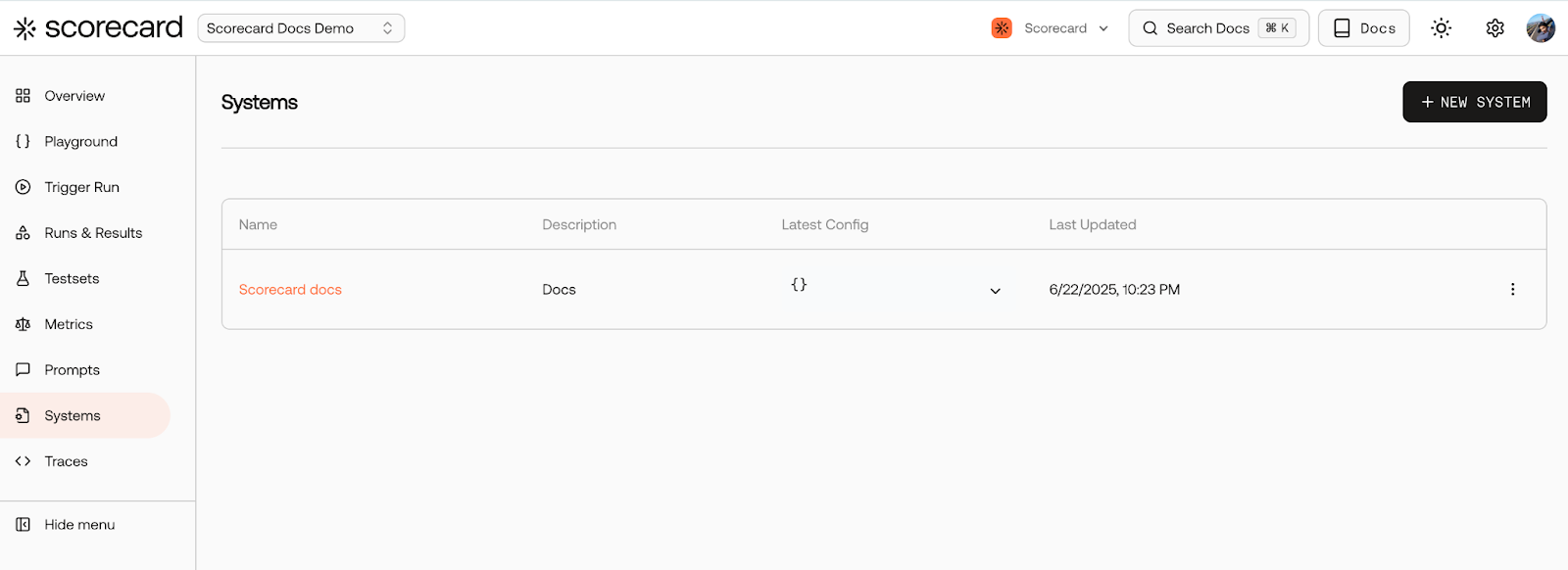
### 🖥️ Systems Enhancements
Managing systems in Scorecard just got easier and more powerful:
* You can now directly trigger a run from the trigger-run page, making it quicker and simpler to execute tests.
* All your systems are now clearly visible and easily manageable from a single, user-friendly interface. Update configurations, manage versions, and maintain systems effortlessly.
### 🎨 New Color Palette
We've updated the Scorecard UI to match our vibrant new brand colors, moving from purple to a fresh orange theme. We hope you love the refreshed look and please share your feedback with us!
### 🛠️ Bug Fixes and Improvements
* **\[Runs]** We've improved pagination for test records in runs, making load times and navigation quicker and setting the stage for upcoming filtering enhancements.
### 🎯 Metric API
We've launched new API endpoints for programmatic metric management, enabling teams to [create](/api-reference/create-metric) and [update](/api-reference/update-metric) metrics directly through our SDK. Create metrics with full control over evaluation type, output format, and prompt templates:
```python theme={null}
client.metrics.create(
project_id="314",
name="Response Accuracy",
eval_type="ai",
output_type="boolean",
prompt_template="Evaluate if the following response is factually accurate: {{outputs.response}}",
)
```
These endpoints are supported in SDK versions [1.1.0](https://www.npmjs.com/package/scorecard-ai) (JS) and [2.1.0](https://pypi.org/project/scorecard-ai/) (Python).
### 🎯 Improved API key format
We switched to a new API key format, which supports having multiple API keys, revoking them, and setting expiry dates. Our new API keys are more concise (94% shorter!) than the previously unwieldy API keys based on JWTs. We've deprecated the old API key format, but will continue to support them until July 20, 2025.
### Bug fixes and improvements
* **\[Metrics]** Improved metrics management UI with tabbed sections for better organization
* **\[Metrics]** Added metric selector with searchable dropdown - no more manually typing metric IDs
* **\[Runs]** In the test record details page you can now see the text of the fully compiled metrics sent to the LLM for evaluation
### 🚀 SDK v2 Stable Release
Following our May 30th launch, SDK v2 is now fully stable and battle-tested. The new SDK features simplified APIs with ergonomic helper methods like `runAndEvaluate` (JS/TS) and `run_and_evaluate` (Python), making it easier than ever to integrate evaluations into your workflow.
We've made the SDK even more flexible - `testset_id` is now optional in our helper methods, allowing you to run evaluations with custom inputs without requiring a pre-defined testset. Additional improvements include:
* System configurations for experimenting with different model settings
* Enhanced error handling and debugging capabilities
* Full TypeScript support with comprehensive type definitions
Available now on [npm](https://www.npmjs.com/package/scorecard-ai) and [PyPI](https://pypi.org/project/scorecard-ai/)!
### 🎯 Basic and Advanced Metric Modes
We've introduced a two-mode system for creating and editing metrics, making Scorecard accessible to users at every technical level.
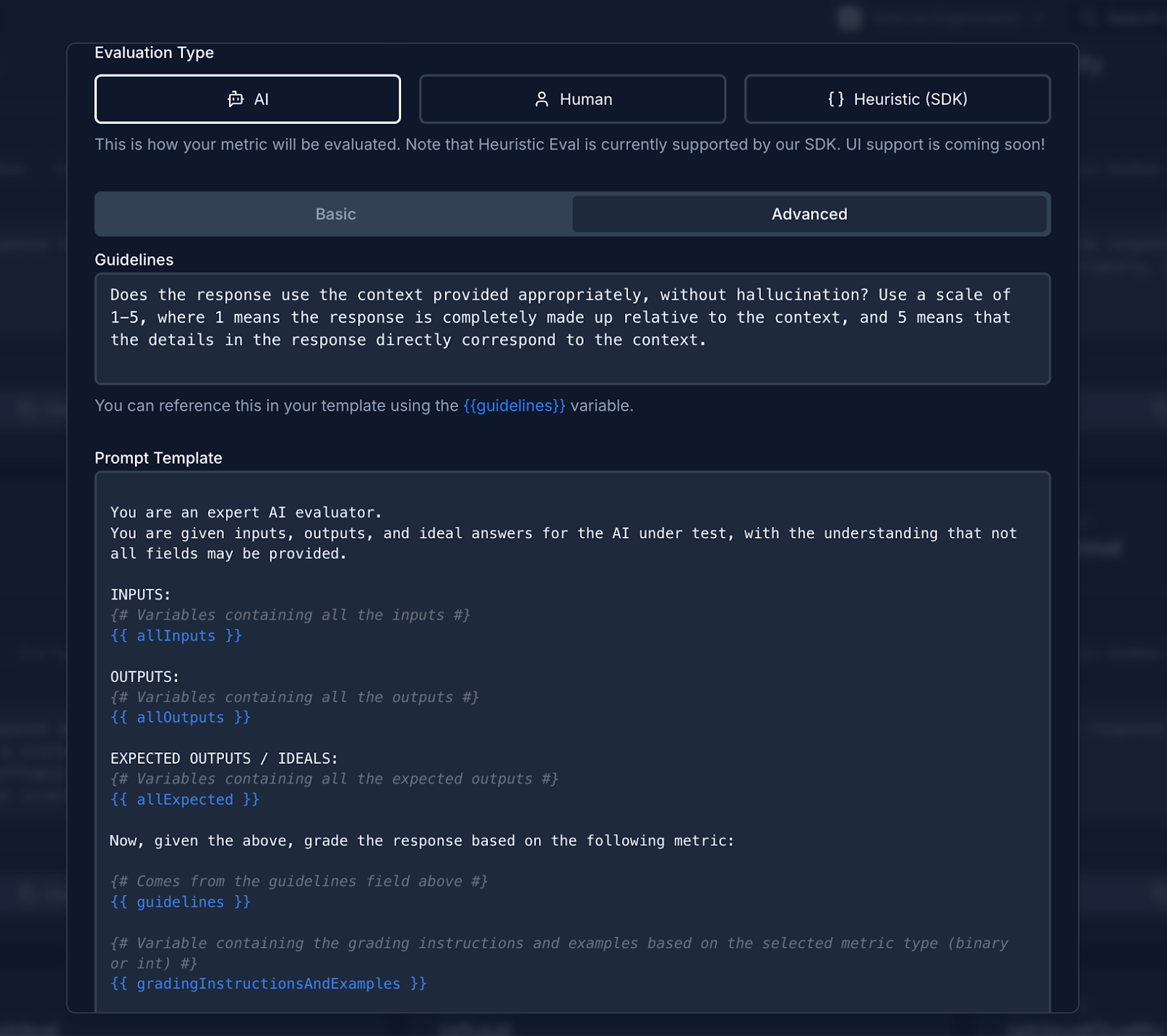
Basic mode simplifies metric creation by focusing solely on the evaluation guidelines - just describe what you want to measure in plain language without worrying about prompt templates or variables. Advanced mode gives power users full control over the entire prompt template, including variable handling and custom formatting.
### Bug fixes and improvements
* **\[Documentation]** Streamlined quickstart guide for faster onboarding
* **\[Playground]** More detailed error messages and prominent results table button
* **\[Runs]** Delete runs directly from the runs list page
* **\[Runs]** Run status now updates automatically based on scoring progress
* **\[Platform]** Fixed data invalidation bugs when managing metrics and testcases
### 🔧 Metric Groups
We've introduced metric groups (formerly scoring configs) to streamline how you manage and organize your evaluation metrics. Create custom groups of metrics that can be applied to runs with a single selection, making it easier to maintain consistent evaluation standards across your projects. Manage metric groups through an intuitive UI and apply them directly when triggering runs.
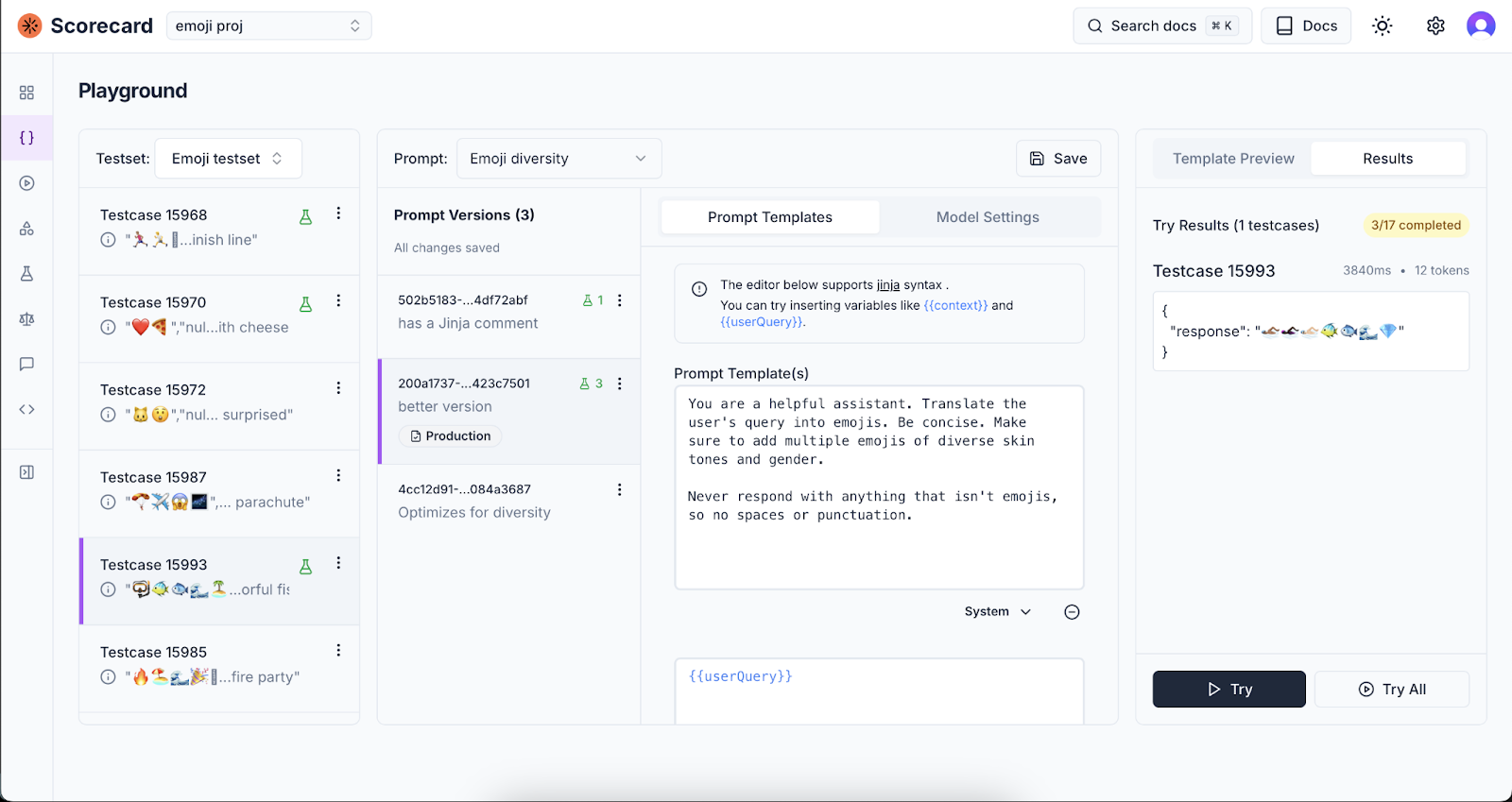
### 🧪 New Playground Experience
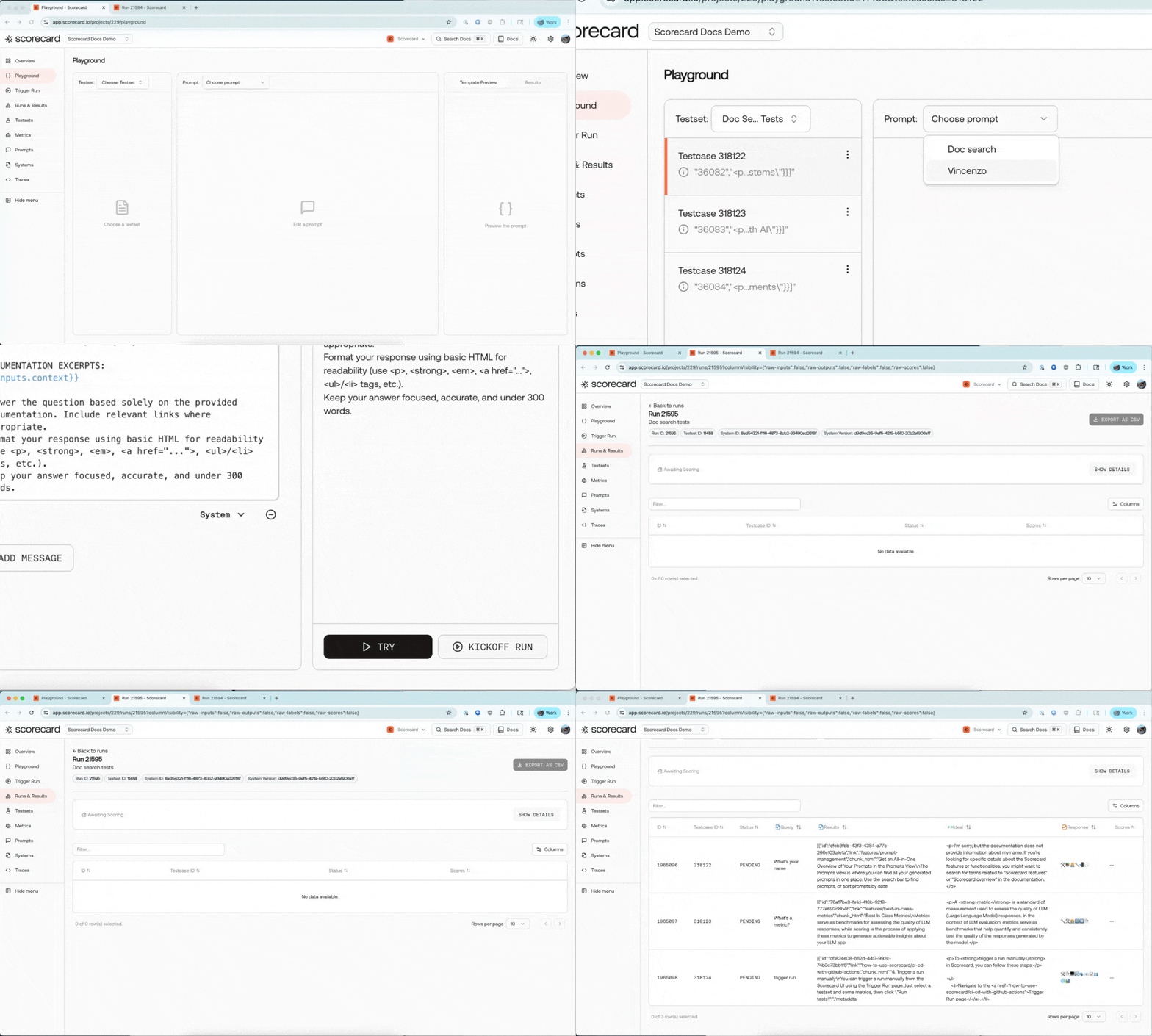
The new [Scorecard Playground](/features/playground) is here! Built for product teams including prompt engineers, product managers, and subject matter experts, it provides a powerful environment to iterate on prompts and test them against multiple inputs simultaneously. Experience smart variable detection with autocomplete support for Jinja syntax, making template creation effortless. Watch your templates come to life with live preview that shows compiled output as you type. Key capabilities include:
* Batch testing - run prompts against entire testsets with one click
* Model configuration with customizable temperature and parameters
* Persistent state - your playground configuration is saved in the URL
Access the playground from any project and start experimenting with your prompts immediately.
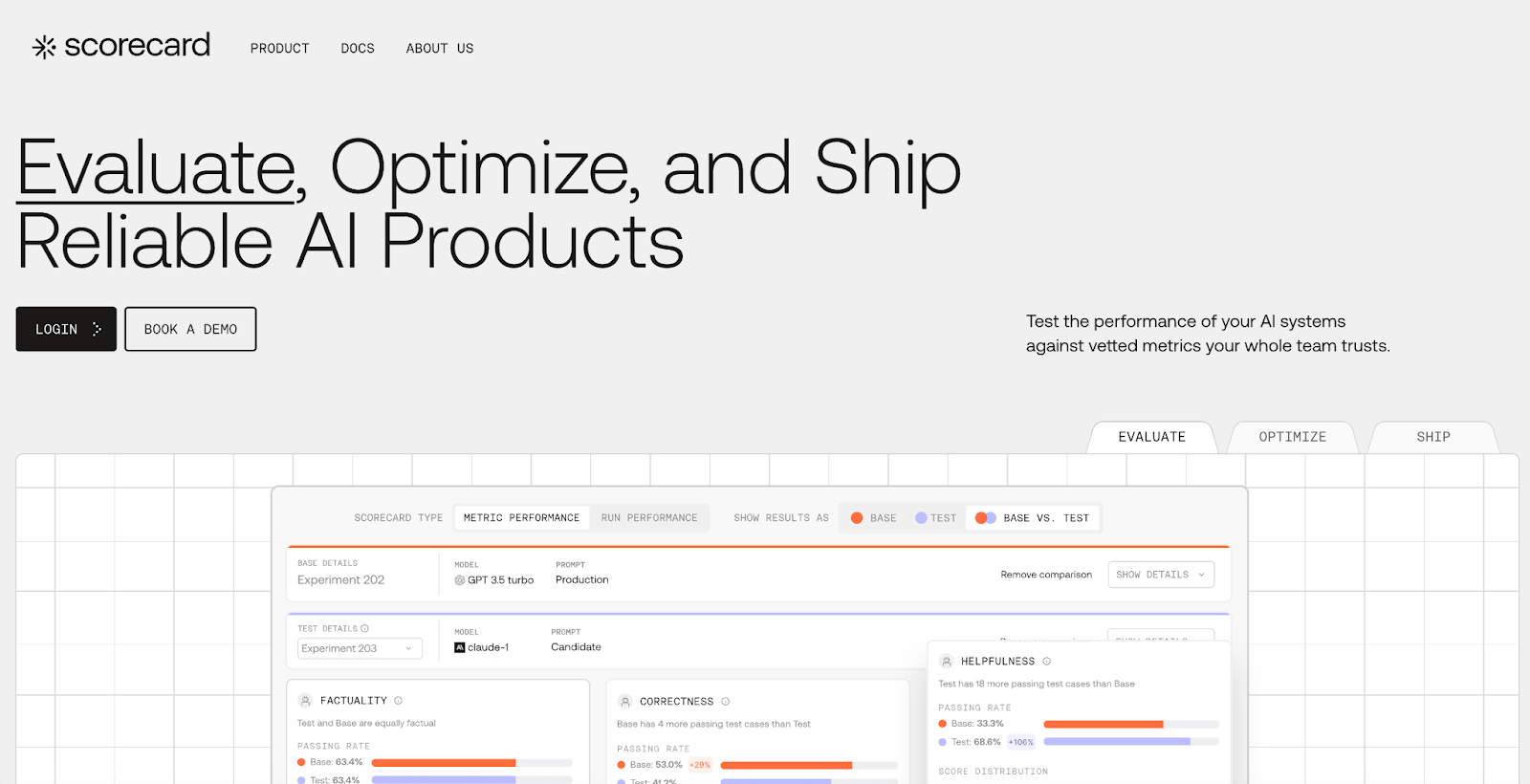
### 🎉 New Homepage Launch!
We're excited to announce the launch of our new [Scorecard homepage](https://scorecard.io/)! Explore our refreshed website with quick access to docs, product, and a new visual design to share how Scorecard can support you as you're building your AI product.
### ⚙️ Fully Configurable Metrics
We've launched a new capability that allows two powerful enhancements for your metrics:
* Fully customize your evaluation model (GPT-4o, Claude-3, Gemini, etc.) or your own selected hosted model
* Metrics now also support structured outputs, significantly increasing the reliability of your scores.
### 🔌 Scorecard MCP Server
We've published an MCP server for Scorecard, enabling powerful new integration possibilities! MCP is an open protocol that standardizes how applications provide context to LLMs. This allows your Scorecard evaluations to seamlessly connect with AI systems. This lets you integrate your evaluation data with various AI tools through a single protocol rather than maintaining separate integrations for each service.
### 💯 Scorecard Eval Day!
We recently held our first Scorecard Evaluation Day with a cohort of inception-stage founders who are deeply invested in their AI agents' quality. During the event, we exchanged valuable ideas around evaluation goals and methodologies, had thoughtful discussions about defining meaningful metrics, and explored approaches to evaluation (including the Scorecard method) and integrating evaluation into CI/CD pipelines. Thanks to everyone who attended! We greatly appreciate the insightful feedback from these teams and have already implemented several improvements to our UI flows and SDK integration patterns based on your input.
### 📚 In-App Documentation Search
We've launched in-app documentation search, making it easier to find exactly what you need without leaving the platform. Now you can quickly search through all of Scorecard's documentation directly within the application. You can access it by pressing Cmd K or clicking the search docs button in the top right.
### 👷 SDK v2 Beta
We've added ergonomic methods to our SDKs to make integration even more seamless. The helper functions `runAndEvaluate` in the [JS/TS SDK](https://www.npmjs.com/package/scorecard-ai) and `run_and_evaluate` in the [Python SDK](https://pypi.org/project/scorecard-ai/) let you easily evaluate systems against testcases and metrics.
### 🔧 Scorecard Playground Scheduled Maintenance
We are taking the Scorecard Cloud playground offline for maintenance and upgrades starting May 7th. Note this will not affect custom integrations (e.g. GitHub kickoff). Please reach out to the team at [team@scorecard.io](mailto:team@scorecard.io) or via direct message if you have a workflow that will be affected by this!
### Bug fixes and improvements
* **\[UI]** Fixed record rendering in the UI when using the new SDK.
* **\[Navigation]** Repaired broken links in the Run grades table to Testcase and Record pages.
* **\[Terminology]** Standardized terminology by renaming "test record" to "record" throughout the UI.
* **\[Documentation]** Streamlined our [quickstart documentation](/intro/quickstart) so you can get started with Scorecard in just 5 minutes.
### New API and SDK
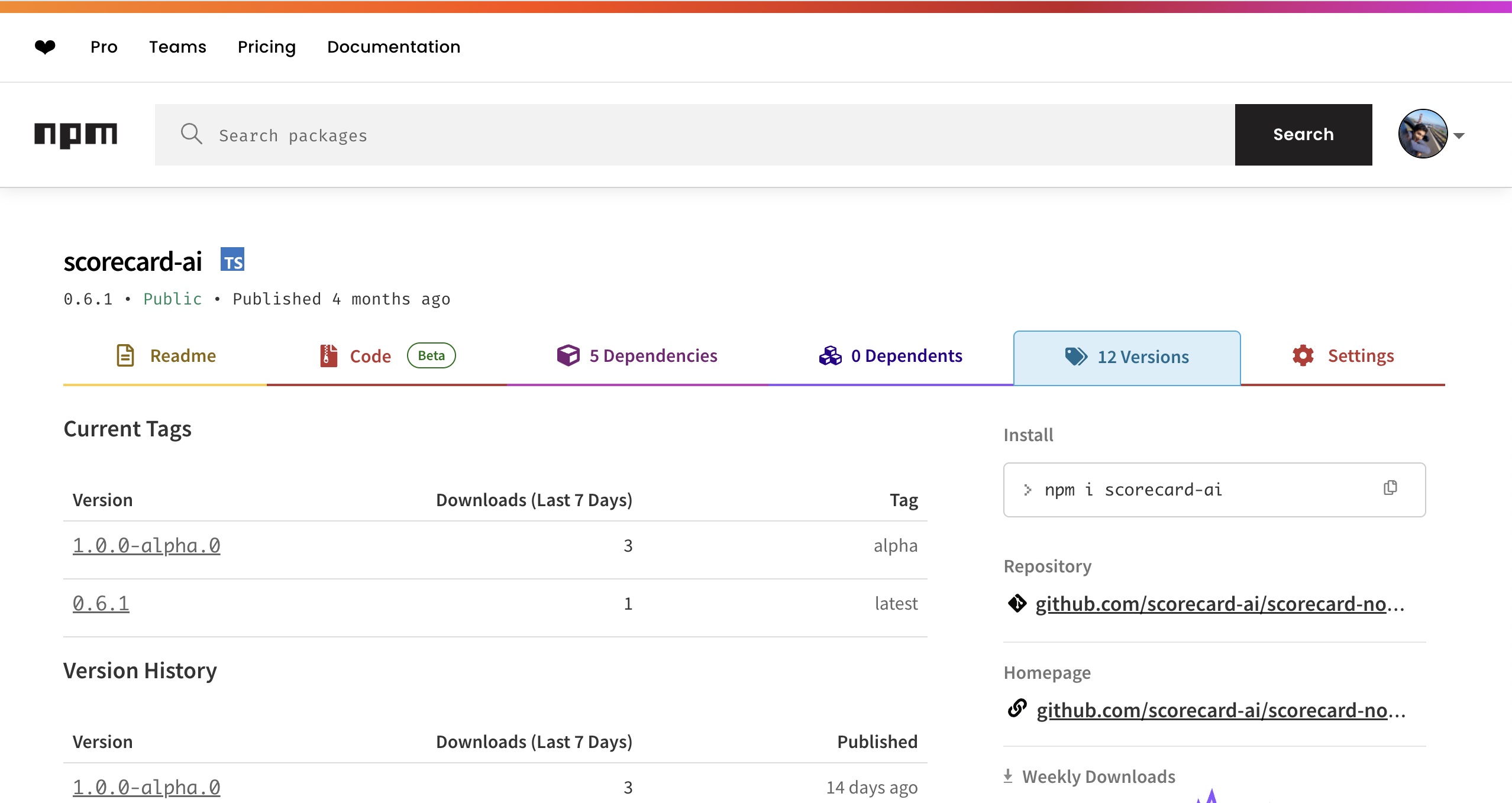
We've released the alpha of our new Scorecard SDKs, featuring streamlined API endpoints for creating, listing, and updating system configurations, as well as programmatic experiment execution. With this alpha, you can integrate scoring runs directly into your development and CI workflows, configure systems as code, and fully automate your evaluation pipeline without manual steps.\
Our pre-release Python SDK ([2.0.0-alpha.0](https://pypi.org/project/scorecard-ai/2.0.0a0/)) and Javascript SDK ([1.0.0-alpha.1](https://www.npmjs.com/package/scorecard-ai/v/1.0.0-alpha.1)) are now available.
### New Quickstarts and Documentation
To support the SDK alpha, we've launched comprehensive SDK reference docs and concise [quickstart guides](/intro/quickstart) that show you how to:
* Install and initialize the TypeScript or Python SDK.
* Create and manage system configurations in code.
* Run your first experiment programmatically.
* Retrieve and interpret run results within your applications.
* Follow these step-by-step walkthroughs to get your first experiment up and running in under five minutes.
### Bug fixes and improvements
* **\[Performance]** Reduced page load times and improved responsiveness when handling large run results for the run history table.
* **\[UI]** Removed metric-specific scoring progress, scoring and execution start and end times, and improved project names wrap across all screen sizes.
* **\[Testsets]** Resolved bug with new CSV upload flow
* **\[Testsets]** Added back Move testset to project
* **\[Testsets]** Archived testsets are hidden correctly, keeping your workspace clutter‑free.
* **\[Reliability]** Improved API reliability and workflow robustness: fixed run creation schema errors, streamlined testcase creation/duplication/deletion flows, and added inline schema validation to prevent submission errors
* **\[Evals]** Migrated from gpt4-1106-preview (Nov 2023) to gpt-4o for scoring metrics
### Run insights
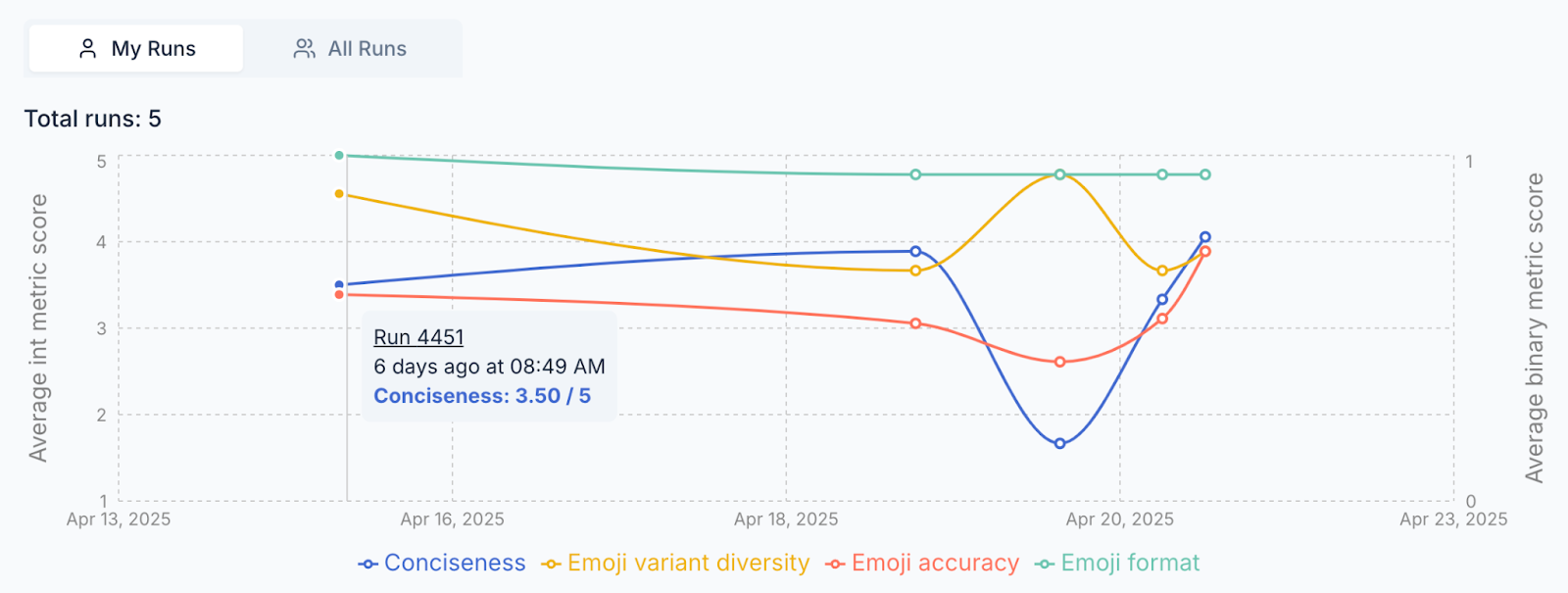
We've added a new Run History chart on Runs & Results that visualizes your performance trends over time to spot regressions or sustained improvements at a glance (up and to the right!). The x‑axis is the run date, the y‑axis is the mean score, and each metric gets its own colored line. You can view this by clicking on the 'All Runs' tab of Runs & Results.
### 🧪 Testsets 2.0 for Easier creation and iteration
Testsets got a full upgrade. We reworked the creation flow, added AI-powered example generation, and streamlined testcase iteration. Filtering, sorting, editing, and bulk actions are now faster and more intuitive—so you can ship better tests, faster.
* You can now create testsets with a simplified modal and generate relevant example testcases based on title and description.
* Bulk editing tools make it easier to manage and update multiple testcases at once.
* You can edit large JSON blobs inline in the testcase detail view, with improved scroll and copy behavior.
* The testset detail page now shows the associated schema in context for easier debugging and review.
* Navigation has improved with linked testset titles and run/testcase summaries directly accessible from the cards.
### 🗂️ Improved schema management
Schemas are now defined and managed per testset, rather than at the project level—giving teams more flexibility and control.
* The schema editor has been redesigned, allowing teams to update schemas independently for each testset.
* Schema changes now reflect immediately in the testcase table to help users see their impact in real time.
* Users can view and copy raw schema JSON for integration with their own tools or SDKs.
* We've also improved messaging in the schema editor to clarify the distinction between inputs and labels.
### Bug fixes and improvements
* **\[Platform]** Internal tech stack upgrades to support faster product iteration
* **\[Testsets]** Friendlier zero-state, faster load, cards with quick actions and live counts
* **\[Testsets]** Tag propagation fix — updates now apply across all testsets and views
* **\[Testsets]** Improved sorting behavior, including reliable default and column sorting
* **\[Testsets]** Filter testcases by keyword, searching across the full dataset
* **\[Testsets]** Updated page actions with visible bulk tools for managing multiple testcases
* **\[Testsets]** Testset cards now link to runs/testcases, and support fast schema editing, duplication, or deletion
* **\[Testsets]** Titles now link directly to the testset detail page
* **\[Testcases]** Detail page supports editing and copying large JSON blobs
* **\[Testcases]** Schema panel added for better context while reviewing or editing testcases
* **\[Projects]** Enhanced cards with summaries for testsets, metrics, and runs, all linked for easier navigation
* **\[Projects]** Improved sorting with more intuitive labels and default order
* **\[Projects]** Faster load performance across the project overview page
* **\[Schemas]** Improved editor messaging to clarify the difference between input fields and labels
* **\[Toast Messages]** Now deep-link to newly created items (testsets, testcases, projects)
* **\[Performance]** Faster page loads, filtering, sorting, and table actions, powered by new APIs and backend improvements
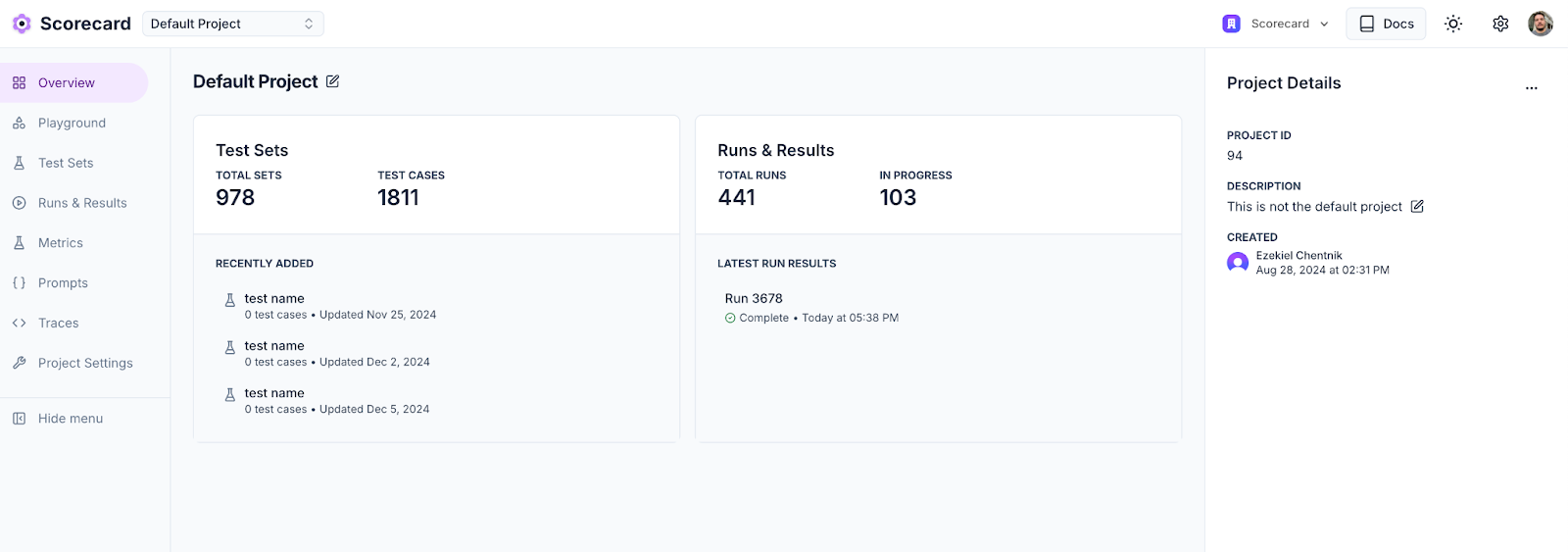
### Projects
We simplified project creation by adding a create project modal to the projects page and project detail pages.
### SDKs
We're working on overhauling our API and SDKs. We switched to using Stainless for SDK generation and released version 1.0.0-alpha.0 of our Node SDK. Over the next few weeks, we will stabilize the new API and Node and Python SDKs.
### Bug fixes and improvements
* **\[Playground]** Filtering by testcase now works properly as well as searching. The pagination was also improved and now works as expected when before it showed inconsistent items in some cases.
* **\[Testsets]** We fixed a bug where we exported empty testcase values as the string "null" instead of an empty string.
* **\[Projects]** We simplified project creation by adding a create project modal to the projects page and project detail pages.
* **\[Testcases]** We fixed a bug that broke the Generate testcases feature.
* **\[Settings]** We added some text on the API keys page to clarify that your Scorecard API key is personal, but model API keys are scoped to the organization.
### Tracing
We've significantly improved our trace management system by relocating traces within the project hierarchy for better organization. Users can now leverage robust search capabilities with full-text search across trace data, complete with highlighted match previews. The new date range filtering system offers multiple time range options from 30 minutes to all time, while project scope filtering allows viewing traces from either the current project or across all projects. We've enhanced data visualization with dynamic activity charts and improved trace tables for better insights. Our library support now focuses specifically on Traceloop, OpenLLMetry, and OpenTelemetry for optimal integration.
In addition, the trace system now includes intelligent AI span detection that automatically recognizes AI operations across different providers. Visual AI indicators with special badges clearly show model information at a glance. We've added test case generation capabilities that extract prompts and completions to easily create test cases. For better resource monitoring, token usage tracking provides detailed metrics for LLM consumption.
### Examples repository
We've published comprehensive integration examples demonstrating OpenTelemetry configuration with Scorecard, including Python Flask implementation with LLM tracing for OpenAI and Node.js Express implementation with similar capabilities. A new setup wizard provides clear configuration instructions for popular telemetry libraries to help users get started quickly.
We also updated our quickstart documentation to be more comprehensive.
### Bug fixes and improvements
* **\[Scoring]** When a run metric has not yet been scored, we now display N/A instead of NaN, making it clearer that it has no data.
* **\[Prompt Management]** We made stability and performance improvements to prompt management workflows.
* **\[Projects]** All resources now belong to projects, including those created before Scorecard Projects were introduced.
* **\[Exports]** Custom fields in CSV exports of run results are handled more reliably.
* **\[Organizations]** When a user switches organizations, we now redirect them to the organization's projects page.
* **\[Testsets]** On the testcase page, we fixed the link back to the testset.
* **\[Metrics]** We added a new autosize textarea component that lets you keep typing the metric description without running out of space.
* **\[Playground]** The "Prompt manager", "Update", and "Delete prompt" buttons are now disabled for default prompts. When selecting metrics, the "Select and score now" button is now the primary button rather than the "Select" button.
* **\[API]** When a user does not include their Scorecard API key, we now return a friendlier 401 error: "Missing API key" rather than "malformed token".
* **\[Scoring]** The human scoring panel collapses the run details page allowing users to see model responses and while scoring.
* **\[Platform]** We enhanced platform stability and increased test coverage.
### New Project Overview Page
We redesigned our project overview page, including some useful information in the new sidebar and made it possible to edit the name and description of a project in the same place.
### Download Testset CSVs
You can now download an entire testset as a CSV using the 'Export as CSV' option.
### Bug fixes and improvements
When looking at a run's detailed results, the popover for looking at a cell's contents would randomly disappear. This issue is now fixed.
### Docs Site Revamp
We're excited to announce we've moved to a completely revamped documentation site! Key improvements include:
* Improved navigation structure
* Better search functionality
* Enhanced API documentation
* New updates section to track changes
* Modern, cleaner design
This change will help us better serve our users with clearer, more organized documentation.
 We'd love your feedback! As one of the first official MCP servers, your experience and suggestions help shape the future of AI evaluation. [Learn more](/features/mcp) or [share your feedback](https://github.com/scorecard-ai/scorecard-mcp).
### 🛠️ Bug Fixes and Improvements
* **\[Auto-refresh]** Charts and headers now automatically refresh after creating new runs
* **\[Model Selection]** Fixed scrolling issues in AI model dropdown menus
* **\[Empty States]** Enhanced empty state designs for monitors, systems, metrics, metric groups, and endpoints with helpful quickstart links
* **\[Multi-page Comparisons]** Select and compare runs across multiple pages for better historical analysis
* **\[Search Enhancement]** Testset filtering now searches both names and tags
* **\[Sorting]** Fixed "Sort by newest" to correctly order items by creation date
* **\[Input Validation]** New test cases properly validate inputs against the defined schema
* **\[Monitor Deduplication]** Resolved issue where overlapping monitors created duplicate test records
We'd love your feedback! As one of the first official MCP servers, your experience and suggestions help shape the future of AI evaluation. [Learn more](/features/mcp) or [share your feedback](https://github.com/scorecard-ai/scorecard-mcp).
### 🛠️ Bug Fixes and Improvements
* **\[Auto-refresh]** Charts and headers now automatically refresh after creating new runs
* **\[Model Selection]** Fixed scrolling issues in AI model dropdown menus
* **\[Empty States]** Enhanced empty state designs for monitors, systems, metrics, metric groups, and endpoints with helpful quickstart links
* **\[Multi-page Comparisons]** Select and compare runs across multiple pages for better historical analysis
* **\[Search Enhancement]** Testset filtering now searches both names and tags
* **\[Sorting]** Fixed "Sort by newest" to correctly order items by creation date
* **\[Input Validation]** New test cases properly validate inputs against the defined schema
* **\[Monitor Deduplication]** Resolved issue where overlapping monitors created duplicate test records
 ### 🛠️ Bug Fixes and Improvements
* **\[Performance]** Improved page load performance on testcases, testsets, metrics, and trigger run pages
* **\[Projects]** Added search functionality for projects
* **\[Metrics]** Added search functionality for metrics
* **\[Testsets]** Added search functionality for testsets
* **\[Systems]** All systems are now required to have a production version
* **\[Quickstart]** Both [main](/intro/quickstart) and systems quickstarts now reflect the latest SDK with clearer steps and updated code, enabling new users to go from install to first run in minutes
* **\[API Keys]** Every member can view existing keys, but only admins can create or revoke them, providing teams with transparency while maintaining control
* **\[Docs Search]** Rebuilt documentation search pipeline reducing typical response times from \~15s to just 3s, helping you find answers more quickly
### 🛠️ Bug Fixes and Improvements
* **\[Performance]** Improved page load performance on testcases, testsets, metrics, and trigger run pages
* **\[Projects]** Added search functionality for projects
* **\[Metrics]** Added search functionality for metrics
* **\[Testsets]** Added search functionality for testsets
* **\[Systems]** All systems are now required to have a production version
* **\[Quickstart]** Both [main](/intro/quickstart) and systems quickstarts now reflect the latest SDK with clearer steps and updated code, enabling new users to go from install to first run in minutes
* **\[API Keys]** Every member can view existing keys, but only admins can create or revoke them, providing teams with transparency while maintaining control
* **\[Docs Search]** Rebuilt documentation search pipeline reducing typical response times from \~15s to just 3s, helping you find answers more quickly
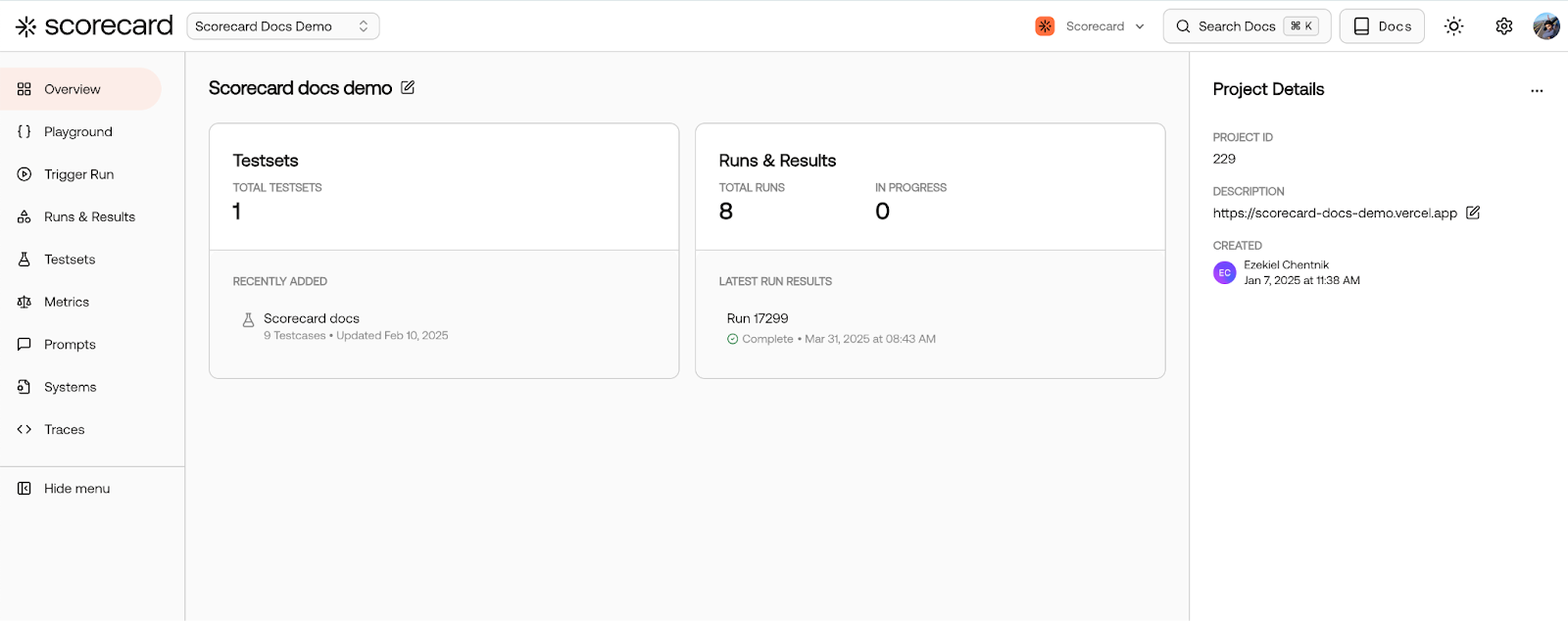
 ### 🎨 New Color Palette
We've updated the Scorecard UI to match our vibrant new brand colors, moving from purple to a fresh orange theme. We hope you love the refreshed look and please share your feedback with us!
### 🎨 New Color Palette
We've updated the Scorecard UI to match our vibrant new brand colors, moving from purple to a fresh orange theme. We hope you love the refreshed look and please share your feedback with us!
 ### 🛠️ Bug Fixes and Improvements
* **\[Runs]** We've improved pagination for test records in runs, making load times and navigation quicker and setting the stage for upcoming filtering enhancements.
### 🛠️ Bug Fixes and Improvements
* **\[Runs]** We've improved pagination for test records in runs, making load times and navigation quicker and setting the stage for upcoming filtering enhancements.
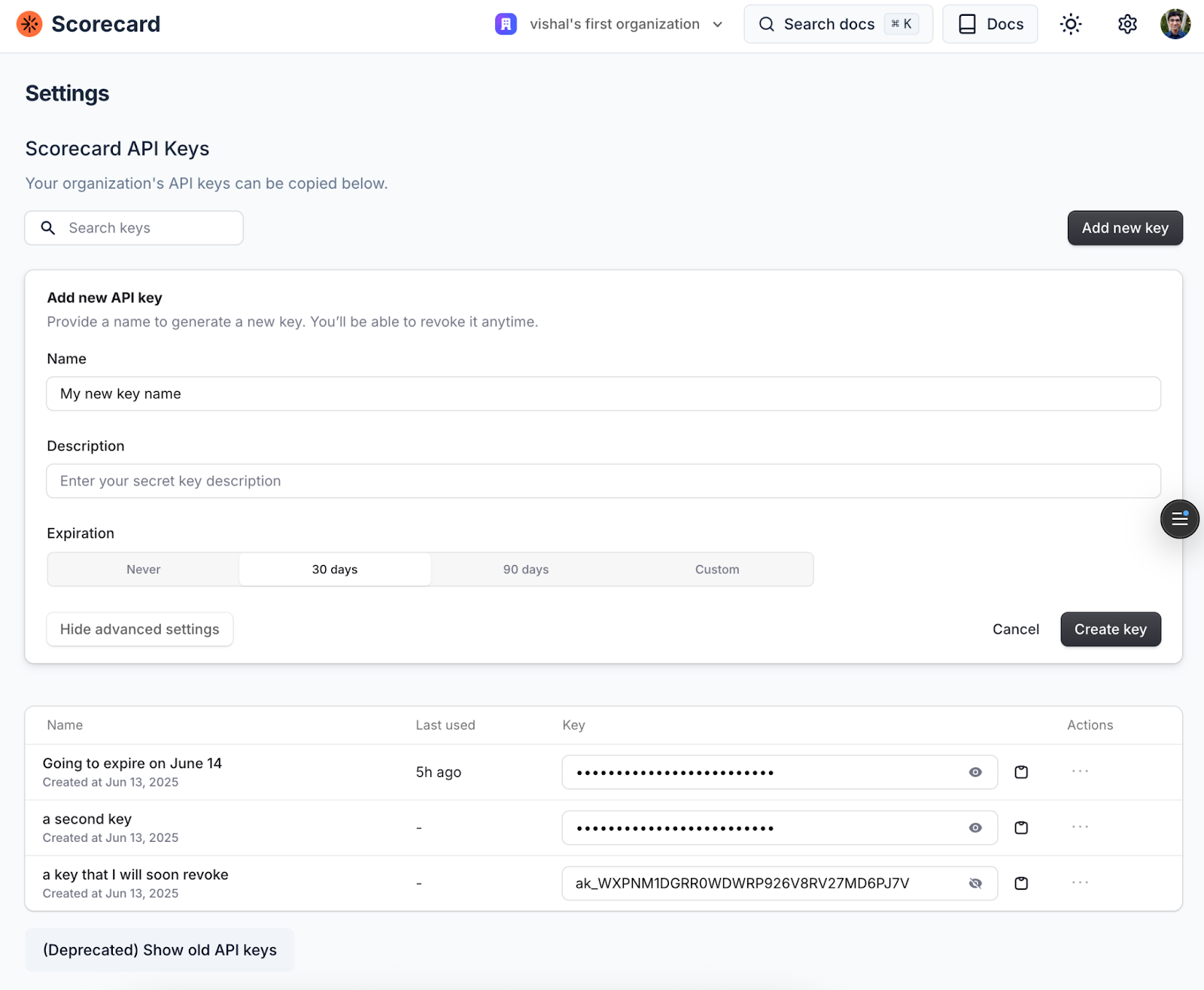 ### Bug fixes and improvements
* **\[Metrics]** Improved metrics management UI with tabbed sections for better organization
* **\[Metrics]** Added metric selector with searchable dropdown - no more manually typing metric IDs
### Bug fixes and improvements
* **\[Metrics]** Improved metrics management UI with tabbed sections for better organization
* **\[Metrics]** Added metric selector with searchable dropdown - no more manually typing metric IDs
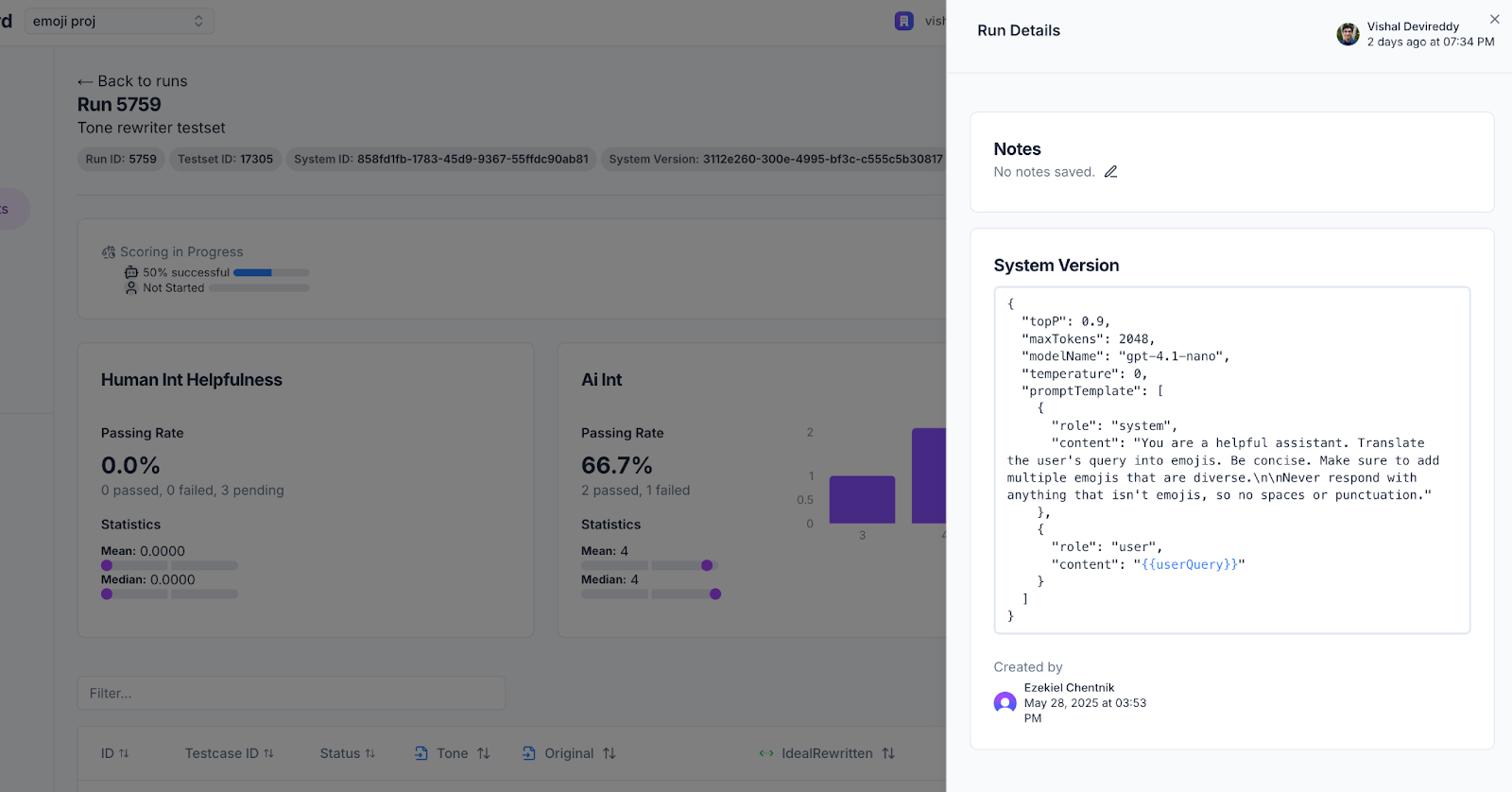
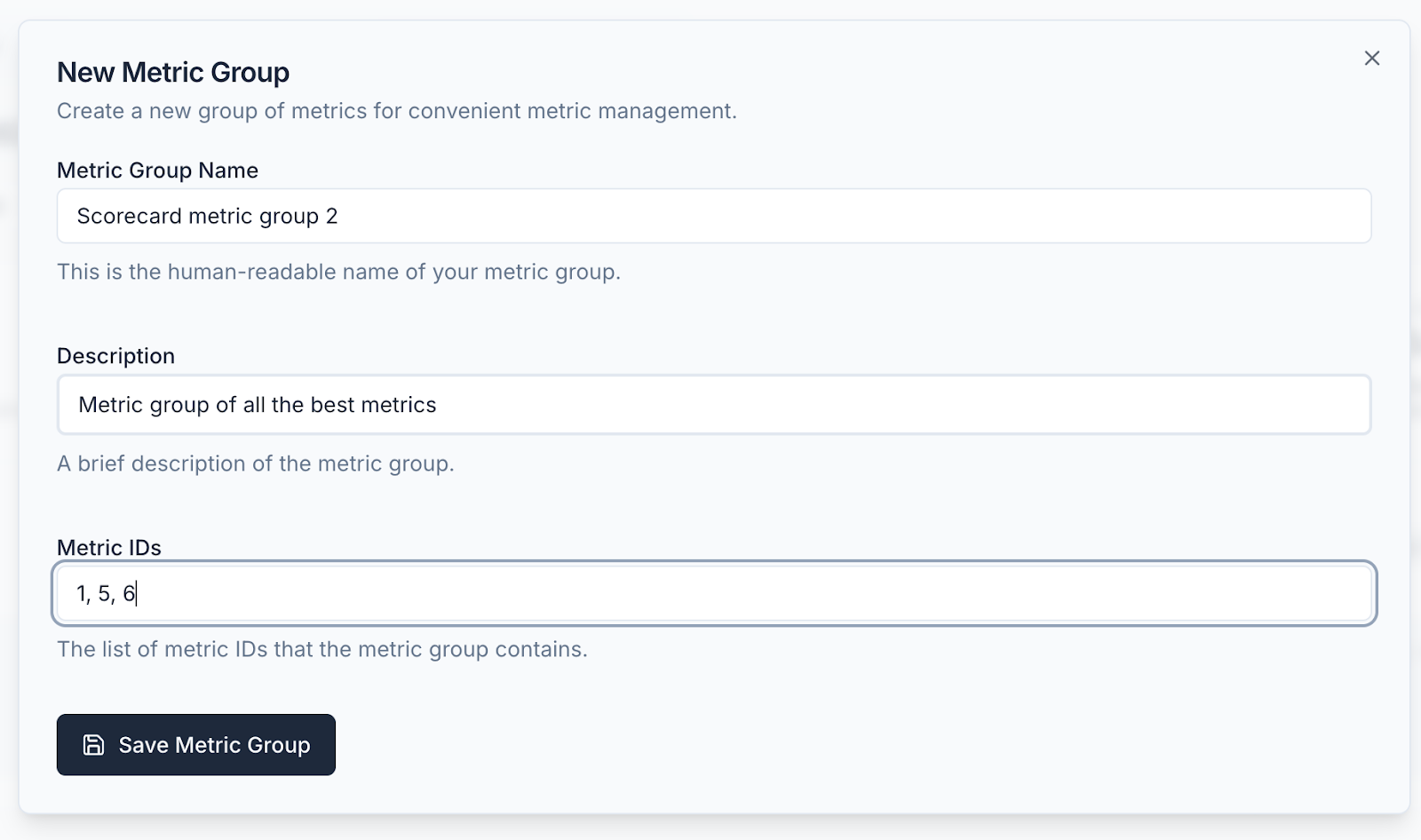 * **\[Runs]** In the test record details page you can now see the text of the fully compiled metrics sent to the LLM for evaluation
 ### Bug fixes and improvements
* **\[Documentation]** Streamlined quickstart guide for faster onboarding
* **\[Playground]** More detailed error messages and prominent results table button
* **\[Runs]** Delete runs directly from the runs list page
* **\[Runs]** Run status now updates automatically based on scoring progress
* **\[Platform]** Fixed data invalidation bugs when managing metrics and testcases
### Bug fixes and improvements
* **\[Documentation]** Streamlined quickstart guide for faster onboarding
* **\[Playground]** More detailed error messages and prominent results table button
* **\[Runs]** Delete runs directly from the runs list page
* **\[Runs]** Run status now updates automatically based on scoring progress
* **\[Platform]** Fixed data invalidation bugs when managing metrics and testcases
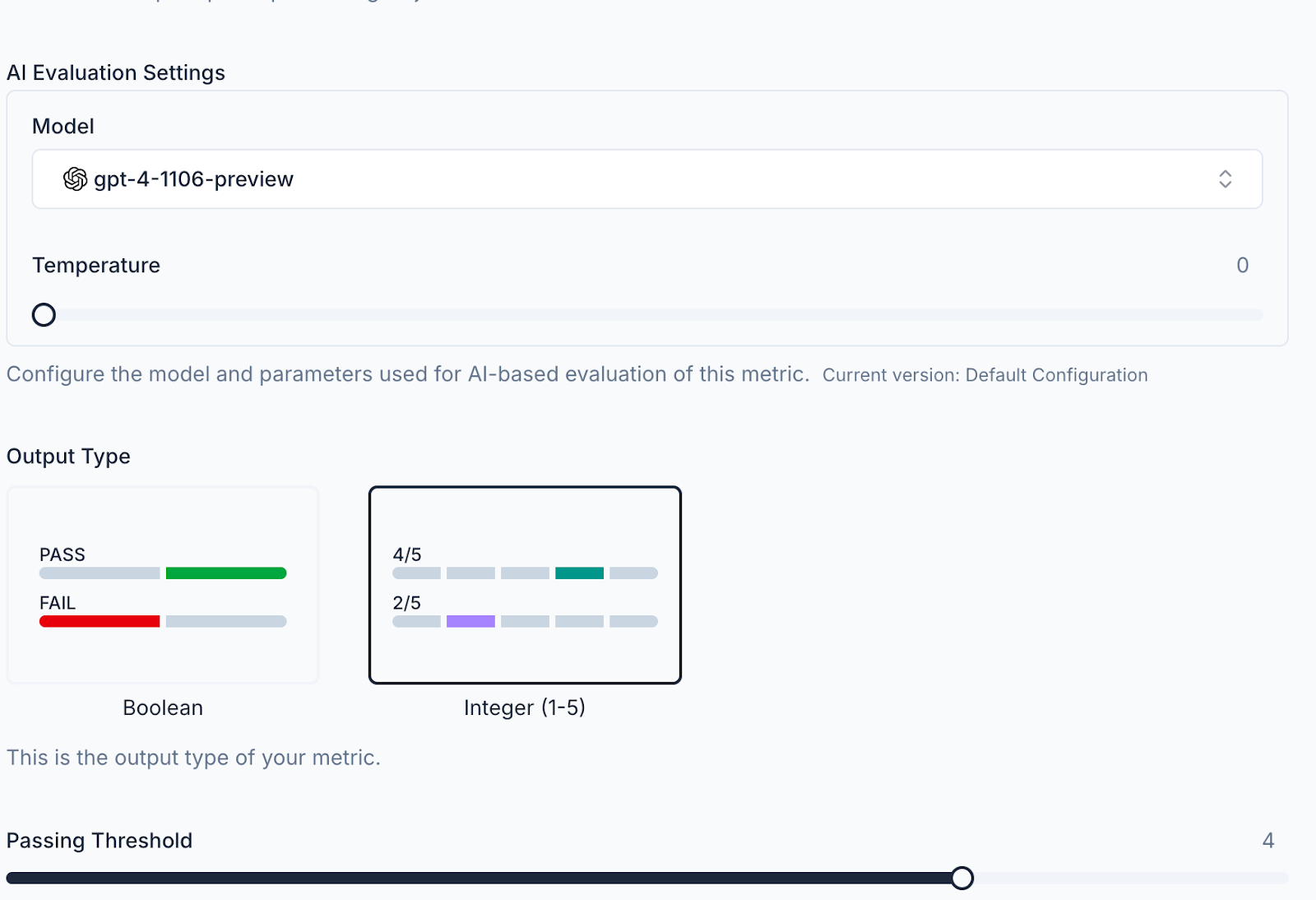
 ### ⚙️ Fully Configurable Metrics
We've launched a new capability that allows two powerful enhancements for your metrics:
* Fully customize your evaluation model (GPT-4o, Claude-3, Gemini, etc.) or your own selected hosted model
* Metrics now also support structured outputs, significantly increasing the reliability of your scores.
### ⚙️ Fully Configurable Metrics
We've launched a new capability that allows two powerful enhancements for your metrics:
* Fully customize your evaluation model (GPT-4o, Claude-3, Gemini, etc.) or your own selected hosted model
* Metrics now also support structured outputs, significantly increasing the reliability of your scores.
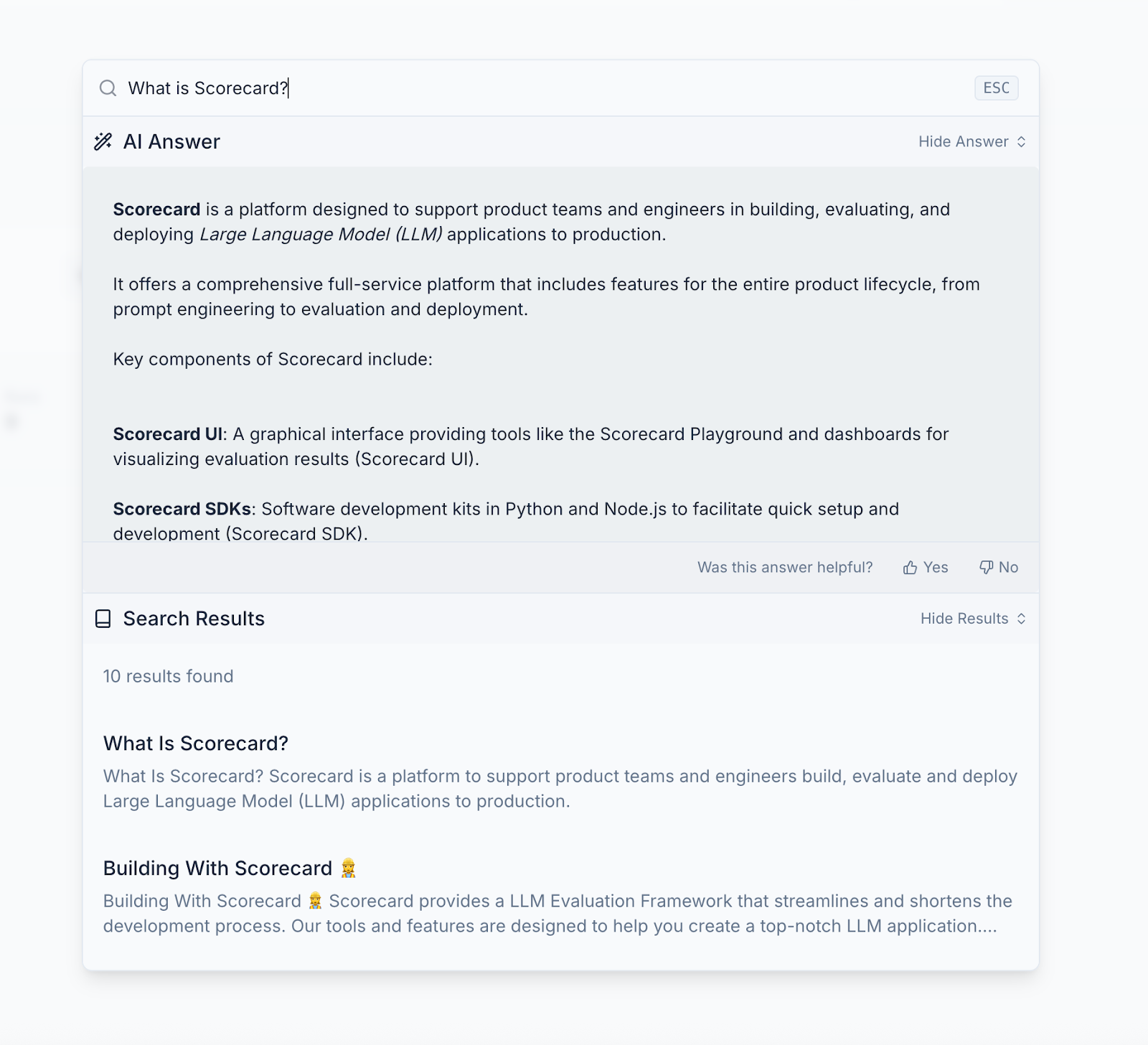
 ### 📚 In-App Documentation Search
We've launched in-app documentation search, making it easier to find exactly what you need without leaving the platform. Now you can quickly search through all of Scorecard's documentation directly within the application. You can access it by pressing Cmd K or clicking the search docs button in the top right.
### 📚 In-App Documentation Search
We've launched in-app documentation search, making it easier to find exactly what you need without leaving the platform. Now you can quickly search through all of Scorecard's documentation directly within the application. You can access it by pressing Cmd K or clicking the search docs button in the top right.
 ### 👷 SDK v2 Beta
We've added ergonomic methods to our SDKs to make integration even more seamless. The helper functions `runAndEvaluate` in the [JS/TS SDK](https://www.npmjs.com/package/scorecard-ai) and `run_and_evaluate` in the [Python SDK](https://pypi.org/project/scorecard-ai/) let you easily evaluate systems against testcases and metrics.
### 🔧 Scorecard Playground Scheduled Maintenance
We are taking the Scorecard Cloud playground offline for maintenance and upgrades starting May 7th. Note this will not affect custom integrations (e.g. GitHub kickoff). Please reach out to the team at [team@scorecard.io](mailto:team@scorecard.io) or via direct message if you have a workflow that will be affected by this!
### Bug fixes and improvements
* **\[UI]** Fixed record rendering in the UI when using the new SDK.
* **\[Navigation]** Repaired broken links in the Run grades table to Testcase and Record pages.
* **\[Terminology]** Standardized terminology by renaming "test record" to "record" throughout the UI.
* **\[Documentation]** Streamlined our [quickstart documentation](/intro/quickstart) so you can get started with Scorecard in just 5 minutes.
### 👷 SDK v2 Beta
We've added ergonomic methods to our SDKs to make integration even more seamless. The helper functions `runAndEvaluate` in the [JS/TS SDK](https://www.npmjs.com/package/scorecard-ai) and `run_and_evaluate` in the [Python SDK](https://pypi.org/project/scorecard-ai/) let you easily evaluate systems against testcases and metrics.
### 🔧 Scorecard Playground Scheduled Maintenance
We are taking the Scorecard Cloud playground offline for maintenance and upgrades starting May 7th. Note this will not affect custom integrations (e.g. GitHub kickoff). Please reach out to the team at [team@scorecard.io](mailto:team@scorecard.io) or via direct message if you have a workflow that will be affected by this!
### Bug fixes and improvements
* **\[UI]** Fixed record rendering in the UI when using the new SDK.
* **\[Navigation]** Repaired broken links in the Run grades table to Testcase and Record pages.
* **\[Terminology]** Standardized terminology by renaming "test record" to "record" throughout the UI.
* **\[Documentation]** Streamlined our [quickstart documentation](/intro/quickstart) so you can get started with Scorecard in just 5 minutes.
 ### New Quickstarts and Documentation
To support the SDK alpha, we've launched comprehensive SDK reference docs and concise [quickstart guides](/intro/quickstart) that show you how to:
* Install and initialize the TypeScript or Python SDK.
* Create and manage system configurations in code.
* Run your first experiment programmatically.
* Retrieve and interpret run results within your applications.
* Follow these step-by-step walkthroughs to get your first experiment up and running in under five minutes.
### Bug fixes and improvements
* **\[Performance]** Reduced page load times and improved responsiveness when handling large run results for the run history table.
* **\[UI]** Removed metric-specific scoring progress, scoring and execution start and end times, and improved project names wrap across all screen sizes.
* **\[Testsets]** Resolved bug with new CSV upload flow
* **\[Testsets]** Added back Move testset to project
* **\[Testsets]** Archived testsets are hidden correctly, keeping your workspace clutter‑free.
* **\[Reliability]** Improved API reliability and workflow robustness: fixed run creation schema errors, streamlined testcase creation/duplication/deletion flows, and added inline schema validation to prevent submission errors
* **\[Evals]** Migrated from gpt4-1106-preview (Nov 2023) to gpt-4o for scoring metrics
### New Quickstarts and Documentation
To support the SDK alpha, we've launched comprehensive SDK reference docs and concise [quickstart guides](/intro/quickstart) that show you how to:
* Install and initialize the TypeScript or Python SDK.
* Create and manage system configurations in code.
* Run your first experiment programmatically.
* Retrieve and interpret run results within your applications.
* Follow these step-by-step walkthroughs to get your first experiment up and running in under five minutes.
### Bug fixes and improvements
* **\[Performance]** Reduced page load times and improved responsiveness when handling large run results for the run history table.
* **\[UI]** Removed metric-specific scoring progress, scoring and execution start and end times, and improved project names wrap across all screen sizes.
* **\[Testsets]** Resolved bug with new CSV upload flow
* **\[Testsets]** Added back Move testset to project
* **\[Testsets]** Archived testsets are hidden correctly, keeping your workspace clutter‑free.
* **\[Reliability]** Improved API reliability and workflow robustness: fixed run creation schema errors, streamlined testcase creation/duplication/deletion flows, and added inline schema validation to prevent submission errors
* **\[Evals]** Migrated from gpt4-1106-preview (Nov 2023) to gpt-4o for scoring metrics
 ### 🧪 Testsets 2.0 for Easier creation and iteration
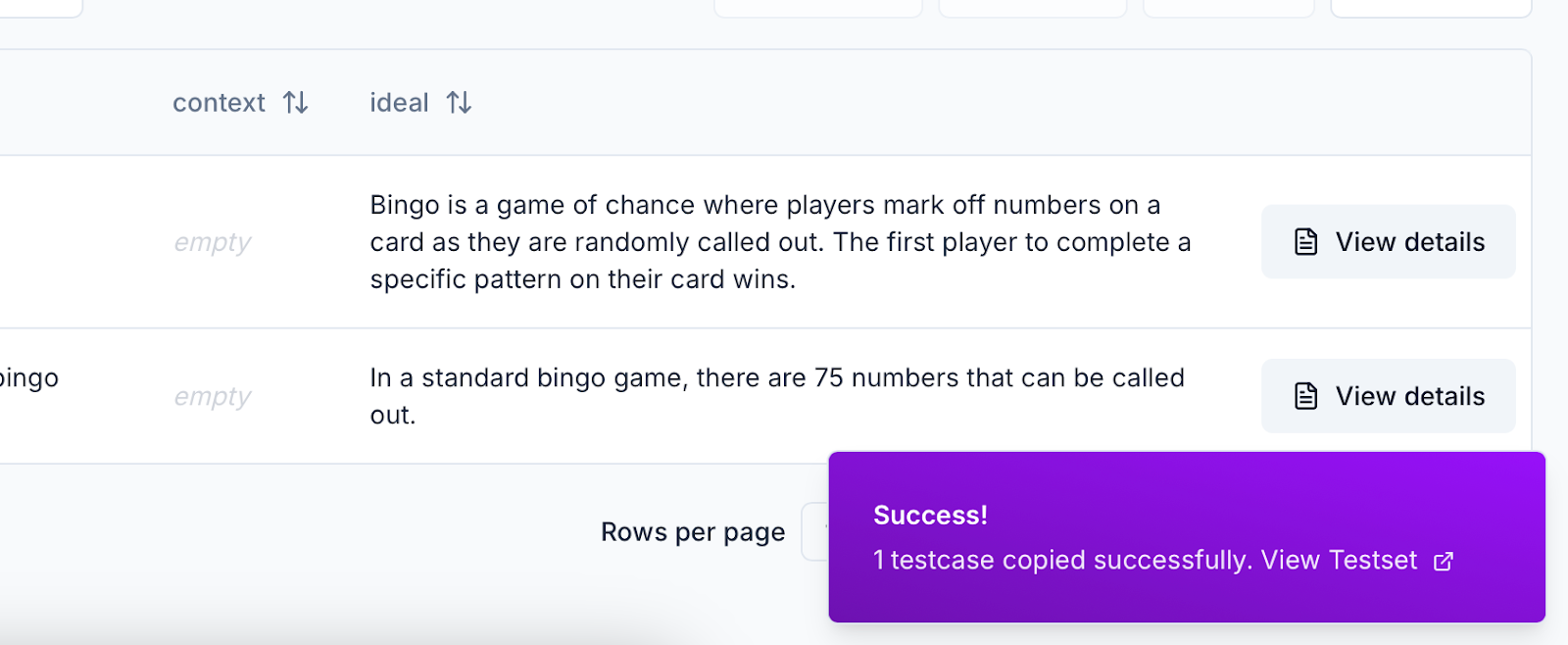
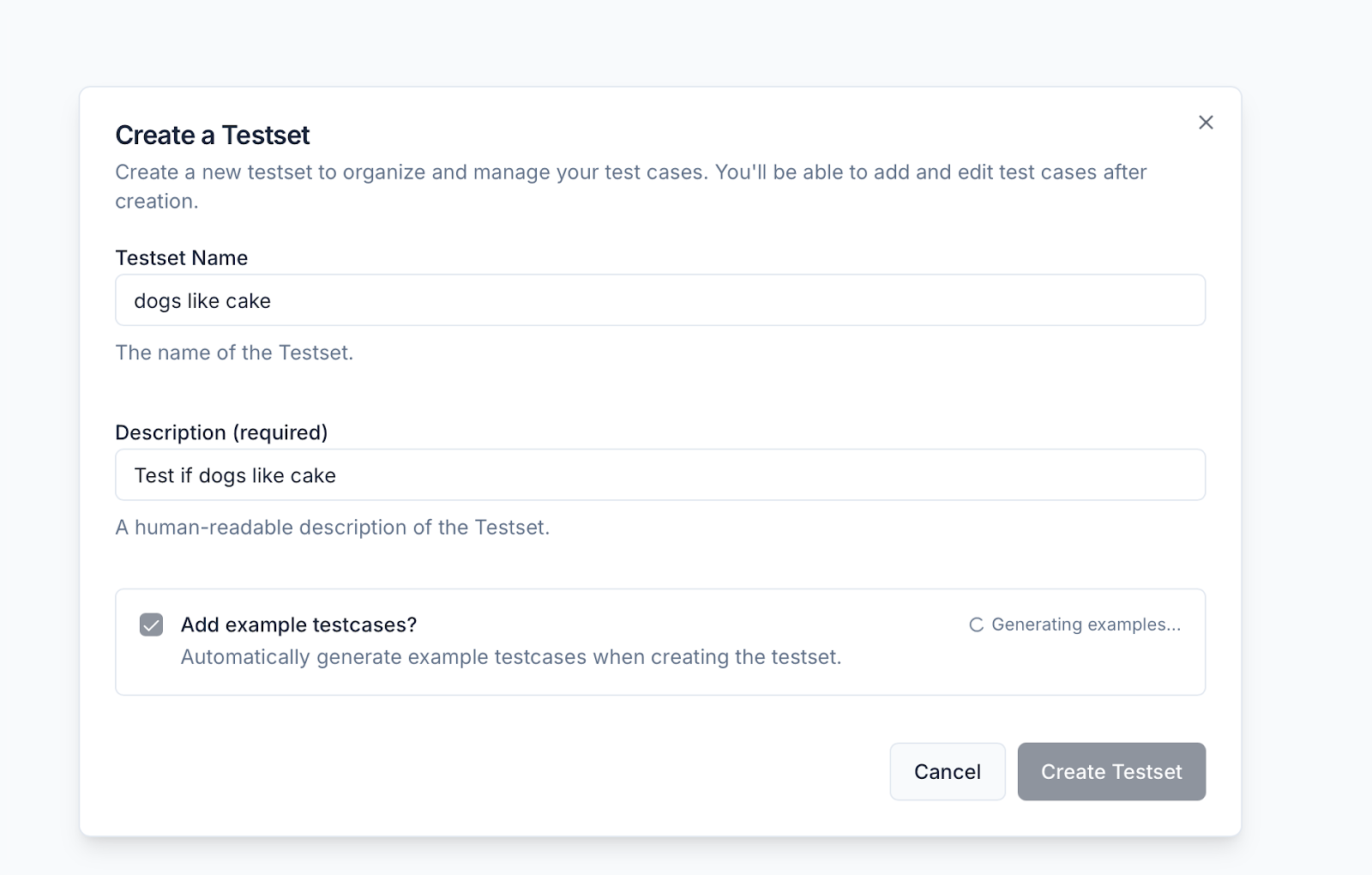
Testsets got a full upgrade. We reworked the creation flow, added AI-powered example generation, and streamlined testcase iteration. Filtering, sorting, editing, and bulk actions are now faster and more intuitive—so you can ship better tests, faster.
* You can now create testsets with a simplified modal and generate relevant example testcases based on title and description.
* Bulk editing tools make it easier to manage and update multiple testcases at once.
* You can edit large JSON blobs inline in the testcase detail view, with improved scroll and copy behavior.
* The testset detail page now shows the associated schema in context for easier debugging and review.
* Navigation has improved with linked testset titles and run/testcase summaries directly accessible from the cards.
### 🧪 Testsets 2.0 for Easier creation and iteration
Testsets got a full upgrade. We reworked the creation flow, added AI-powered example generation, and streamlined testcase iteration. Filtering, sorting, editing, and bulk actions are now faster and more intuitive—so you can ship better tests, faster.
* You can now create testsets with a simplified modal and generate relevant example testcases based on title and description.
* Bulk editing tools make it easier to manage and update multiple testcases at once.
* You can edit large JSON blobs inline in the testcase detail view, with improved scroll and copy behavior.
* The testset detail page now shows the associated schema in context for easier debugging and review.
* Navigation has improved with linked testset titles and run/testcase summaries directly accessible from the cards.
 ### 🗂️ Improved schema management
Schemas are now defined and managed per testset, rather than at the project level—giving teams more flexibility and control.
* The schema editor has been redesigned, allowing teams to update schemas independently for each testset.
* Schema changes now reflect immediately in the testcase table to help users see their impact in real time.
* Users can view and copy raw schema JSON for integration with their own tools or SDKs.
* We've also improved messaging in the schema editor to clarify the distinction between inputs and labels.
### 🗂️ Improved schema management
Schemas are now defined and managed per testset, rather than at the project level—giving teams more flexibility and control.
* The schema editor has been redesigned, allowing teams to update schemas independently for each testset.
* Schema changes now reflect immediately in the testcase table to help users see their impact in real time.
* Users can view and copy raw schema JSON for integration with their own tools or SDKs.
* We've also improved messaging in the schema editor to clarify the distinction between inputs and labels.
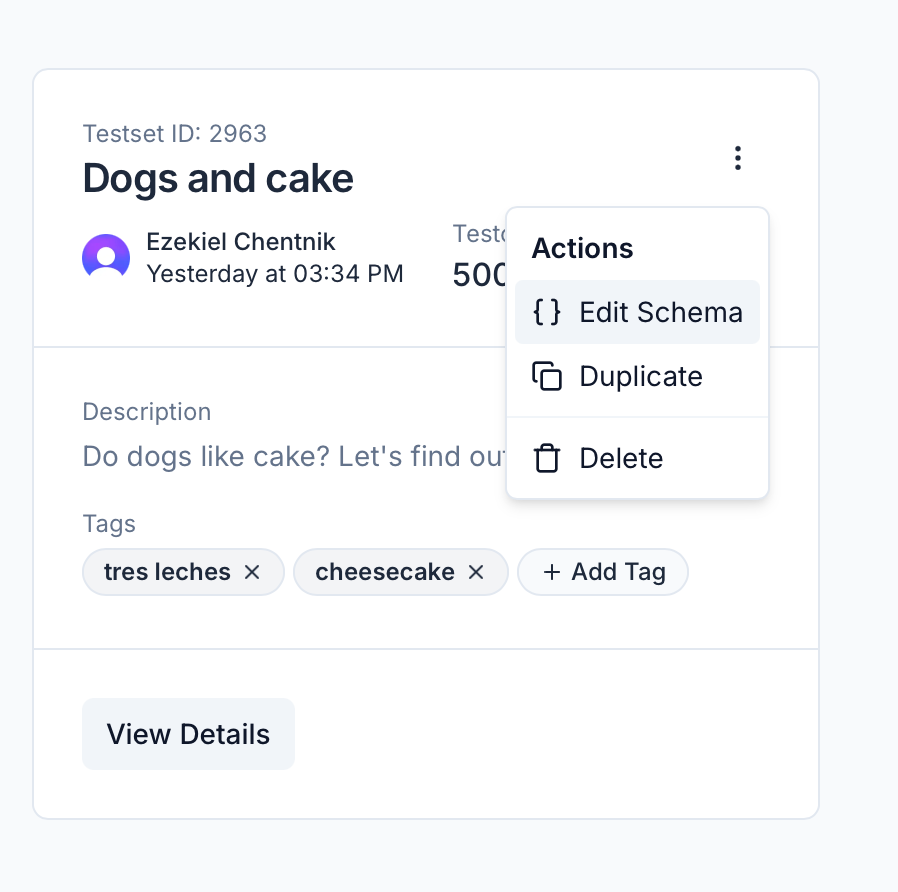
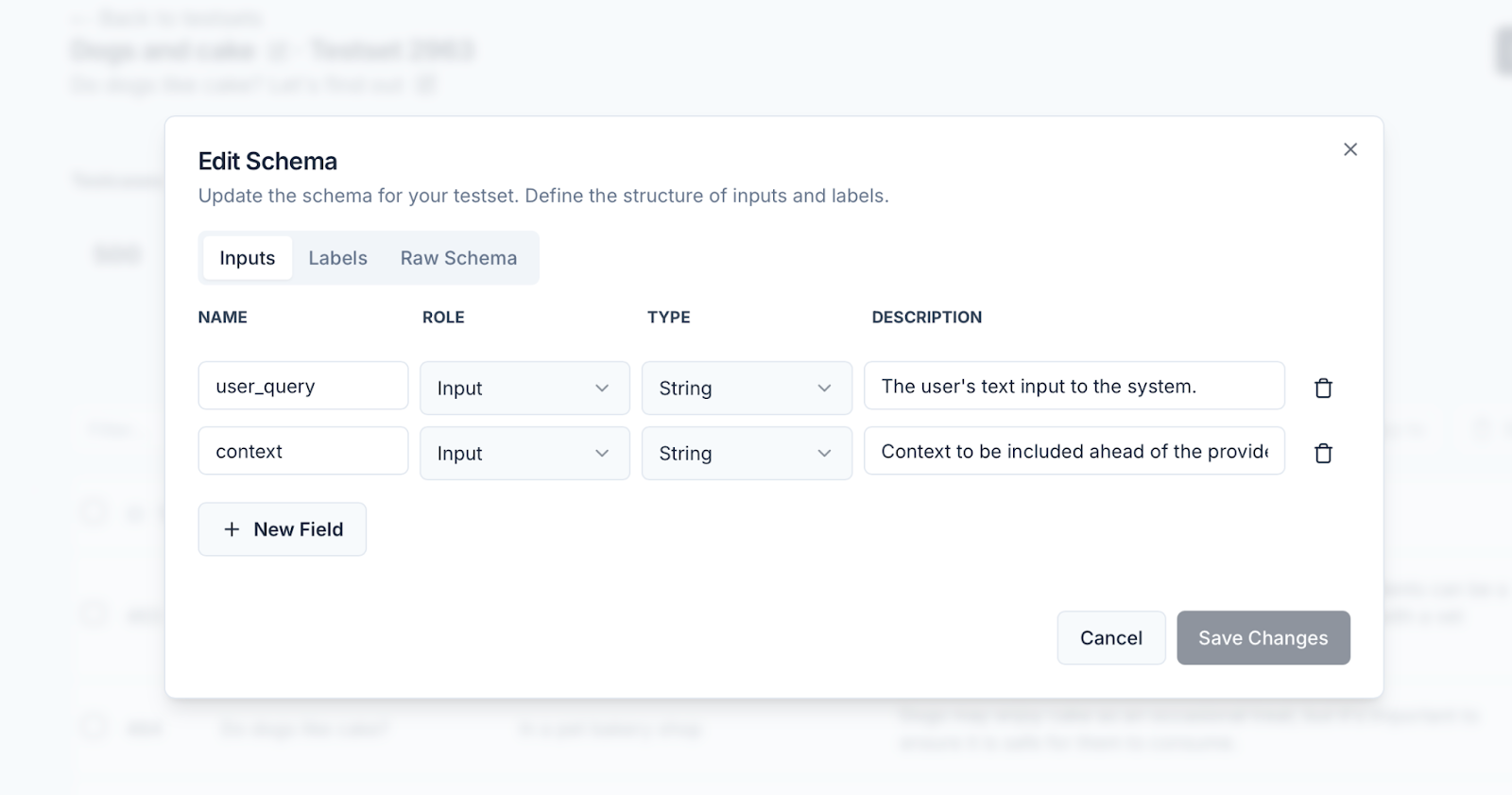 ### Bug fixes and improvements
* **\[Platform]** Internal tech stack upgrades to support faster product iteration
* **\[Testsets]** Friendlier zero-state, faster load, cards with quick actions and live counts
* **\[Testsets]** Tag propagation fix — updates now apply across all testsets and views
* **\[Testsets]** Improved sorting behavior, including reliable default and column sorting
* **\[Testsets]** Filter testcases by keyword, searching across the full dataset
* **\[Testsets]** Updated page actions with visible bulk tools for managing multiple testcases
* **\[Testsets]** Testset cards now link to runs/testcases, and support fast schema editing, duplication, or deletion
* **\[Testsets]** Titles now link directly to the testset detail page
* **\[Testcases]** Detail page supports editing and copying large JSON blobs
* **\[Testcases]** Schema panel added for better context while reviewing or editing testcases
* **\[Projects]** Enhanced cards with summaries for testsets, metrics, and runs, all linked for easier navigation
* **\[Projects]** Improved sorting with more intuitive labels and default order
* **\[Projects]** Faster load performance across the project overview page
* **\[Schemas]** Improved editor messaging to clarify the difference between input fields and labels
* **\[Toast Messages]** Now deep-link to newly created items (testsets, testcases, projects)
* **\[Performance]** Faster page loads, filtering, sorting, and table actions, powered by new APIs and backend improvements
### Bug fixes and improvements
* **\[Platform]** Internal tech stack upgrades to support faster product iteration
* **\[Testsets]** Friendlier zero-state, faster load, cards with quick actions and live counts
* **\[Testsets]** Tag propagation fix — updates now apply across all testsets and views
* **\[Testsets]** Improved sorting behavior, including reliable default and column sorting
* **\[Testsets]** Filter testcases by keyword, searching across the full dataset
* **\[Testsets]** Updated page actions with visible bulk tools for managing multiple testcases
* **\[Testsets]** Testset cards now link to runs/testcases, and support fast schema editing, duplication, or deletion
* **\[Testsets]** Titles now link directly to the testset detail page
* **\[Testcases]** Detail page supports editing and copying large JSON blobs
* **\[Testcases]** Schema panel added for better context while reviewing or editing testcases
* **\[Projects]** Enhanced cards with summaries for testsets, metrics, and runs, all linked for easier navigation
* **\[Projects]** Improved sorting with more intuitive labels and default order
* **\[Projects]** Faster load performance across the project overview page
* **\[Schemas]** Improved editor messaging to clarify the difference between input fields and labels
* **\[Toast Messages]** Now deep-link to newly created items (testsets, testcases, projects)
* **\[Performance]** Faster page loads, filtering, sorting, and table actions, powered by new APIs and backend improvements
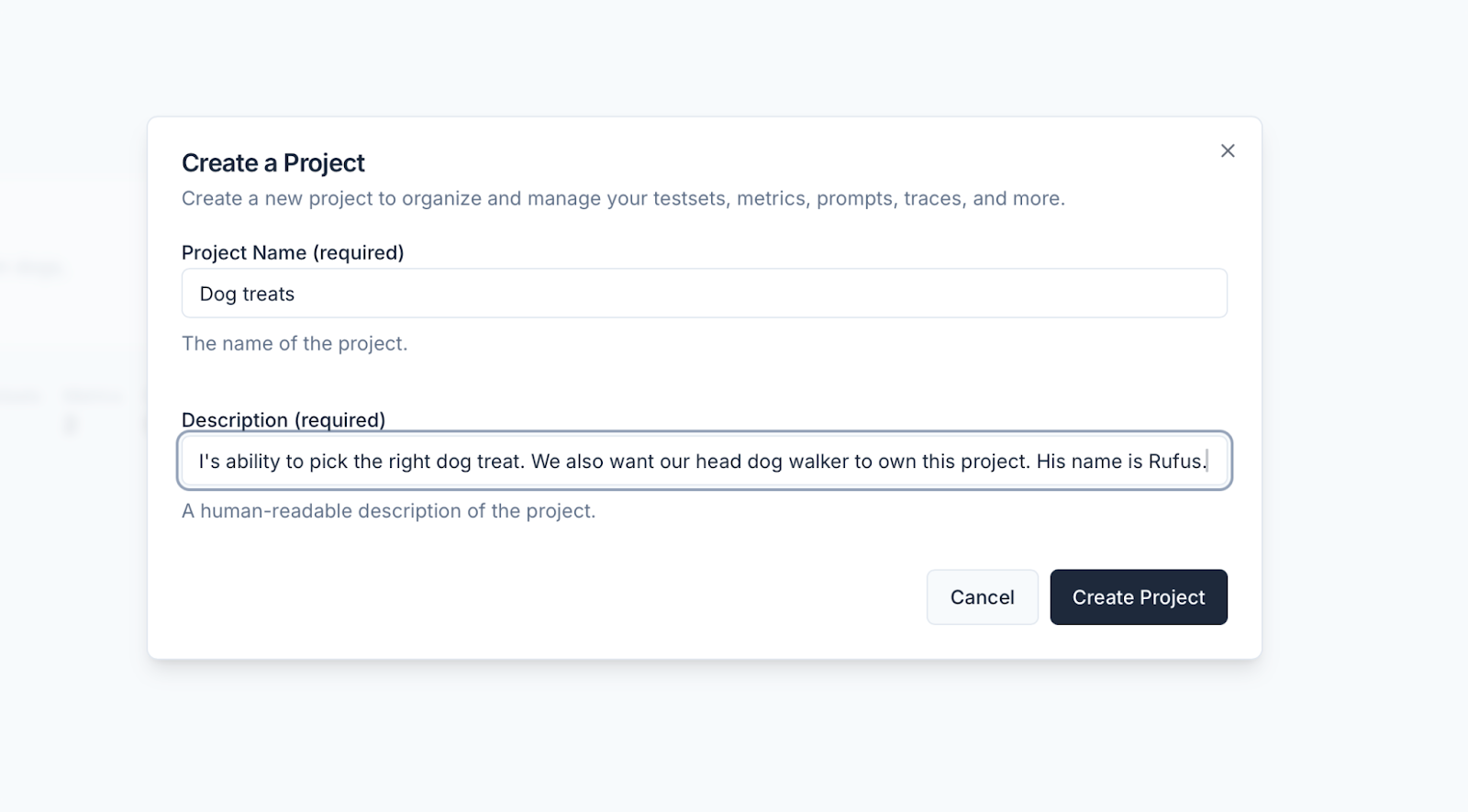 ### SDKs
We're working on overhauling our API and SDKs. We switched to using Stainless for SDK generation and released version 1.0.0-alpha.0 of our Node SDK. Over the next few weeks, we will stabilize the new API and Node and Python SDKs.
### Bug fixes and improvements
* **\[Playground]** Filtering by testcase now works properly as well as searching. The pagination was also improved and now works as expected when before it showed inconsistent items in some cases.
* **\[Testsets]** We fixed a bug where we exported empty testcase values as the string "null" instead of an empty string.
* **\[Projects]** We simplified project creation by adding a create project modal to the projects page and project detail pages.
* **\[Testcases]** We fixed a bug that broke the Generate testcases feature.
* **\[Settings]** We added some text on the API keys page to clarify that your Scorecard API key is personal, but model API keys are scoped to the organization.
### SDKs
We're working on overhauling our API and SDKs. We switched to using Stainless for SDK generation and released version 1.0.0-alpha.0 of our Node SDK. Over the next few weeks, we will stabilize the new API and Node and Python SDKs.
### Bug fixes and improvements
* **\[Playground]** Filtering by testcase now works properly as well as searching. The pagination was also improved and now works as expected when before it showed inconsistent items in some cases.
* **\[Testsets]** We fixed a bug where we exported empty testcase values as the string "null" instead of an empty string.
* **\[Projects]** We simplified project creation by adding a create project modal to the projects page and project detail pages.
* **\[Testcases]** We fixed a bug that broke the Generate testcases feature.
* **\[Settings]** We added some text on the API keys page to clarify that your Scorecard API key is personal, but model API keys are scoped to the organization.
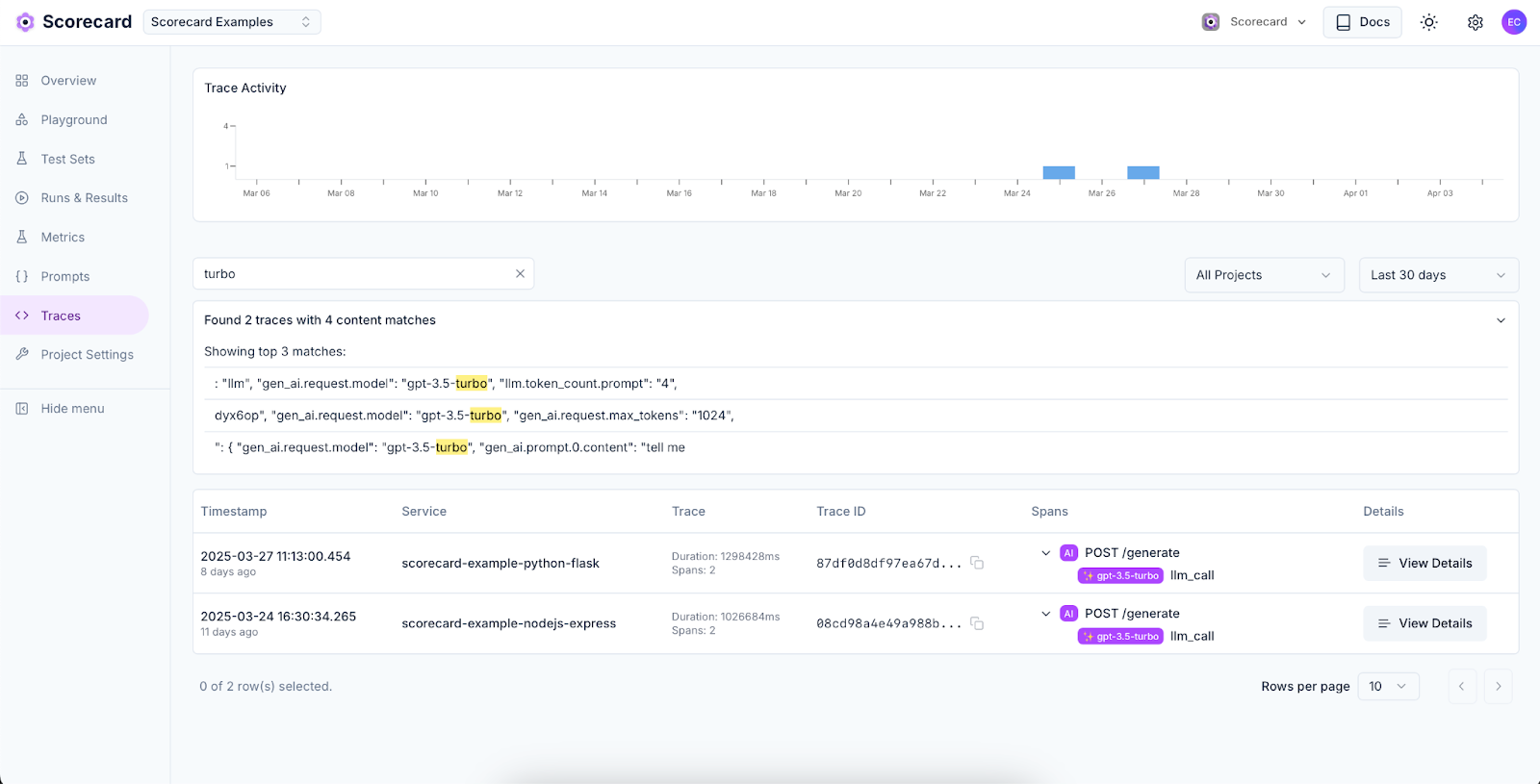 ### Examples repository
We've published comprehensive integration examples demonstrating OpenTelemetry configuration with Scorecard, including Python Flask implementation with LLM tracing for OpenAI and Node.js Express implementation with similar capabilities. A new setup wizard provides clear configuration instructions for popular telemetry libraries to help users get started quickly.
We also updated our quickstart documentation to be more comprehensive.
### Examples repository
We've published comprehensive integration examples demonstrating OpenTelemetry configuration with Scorecard, including Python Flask implementation with LLM tracing for OpenAI and Node.js Express implementation with similar capabilities. A new setup wizard provides clear configuration instructions for popular telemetry libraries to help users get started quickly.
We also updated our quickstart documentation to be more comprehensive.
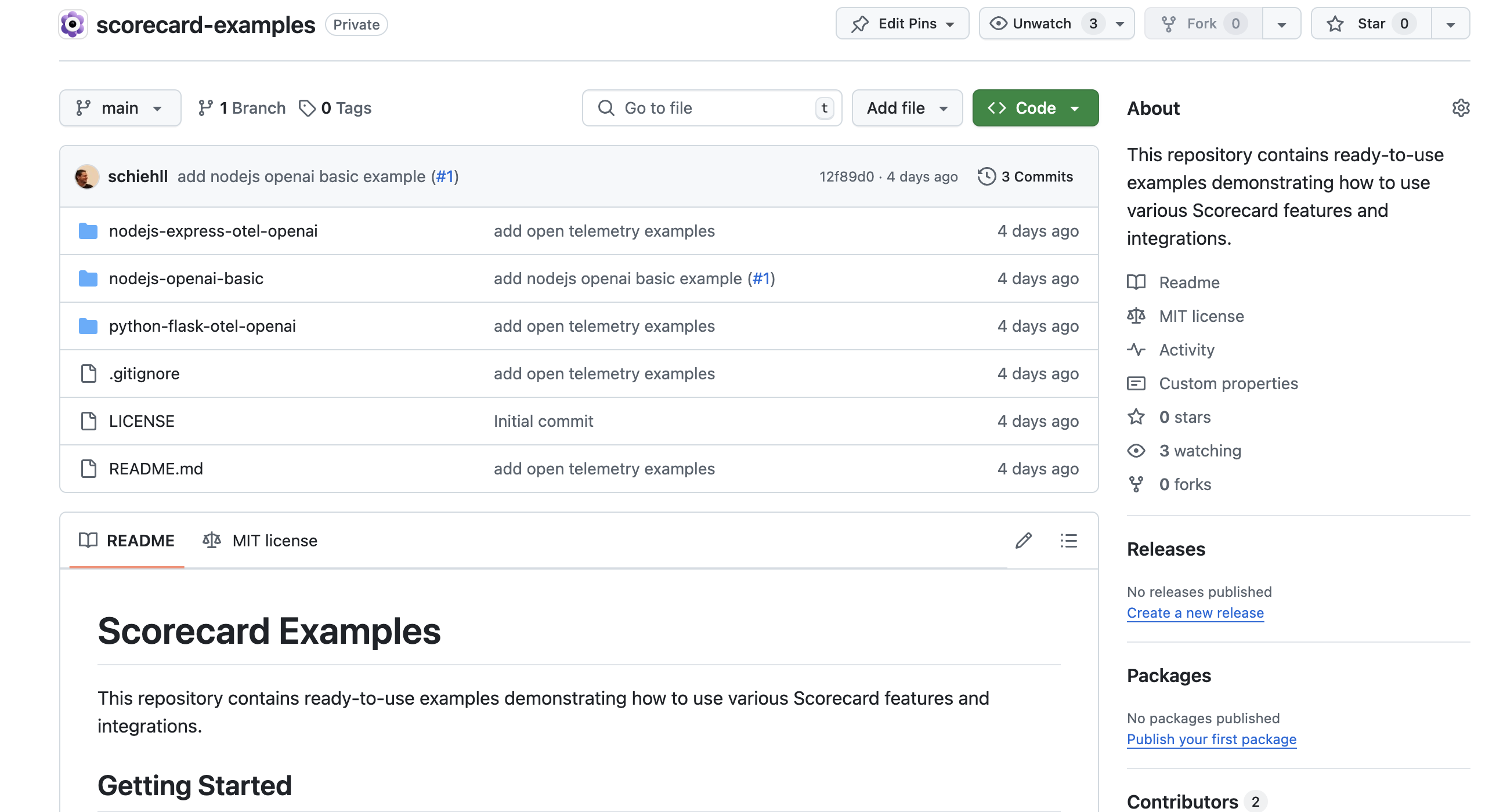 ### Bug fixes and improvements
* **\[Scoring]** When a run metric has not yet been scored, we now display N/A instead of NaN, making it clearer that it has no data.
* **\[Prompt Management]** We made stability and performance improvements to prompt management workflows.
* **\[Projects]** All resources now belong to projects, including those created before Scorecard Projects were introduced.
* **\[Exports]** Custom fields in CSV exports of run results are handled more reliably.
* **\[Organizations]** When a user switches organizations, we now redirect them to the organization's projects page.
* **\[Testsets]** On the testcase page, we fixed the link back to the testset.
* **\[Metrics]** We added a new autosize textarea component that lets you keep typing the metric description without running out of space.
* **\[Playground]** The "Prompt manager", "Update", and "Delete prompt" buttons are now disabled for default prompts. When selecting metrics, the "Select and score now" button is now the primary button rather than the "Select" button.
* **\[API]** When a user does not include their Scorecard API key, we now return a friendlier 401 error: "Missing API key" rather than "malformed token".
* **\[Scoring]** The human scoring panel collapses the run details page allowing users to see model responses and while scoring.
* **\[Platform]** We enhanced platform stability and increased test coverage.
### Bug fixes and improvements
* **\[Scoring]** When a run metric has not yet been scored, we now display N/A instead of NaN, making it clearer that it has no data.
* **\[Prompt Management]** We made stability and performance improvements to prompt management workflows.
* **\[Projects]** All resources now belong to projects, including those created before Scorecard Projects were introduced.
* **\[Exports]** Custom fields in CSV exports of run results are handled more reliably.
* **\[Organizations]** When a user switches organizations, we now redirect them to the organization's projects page.
* **\[Testsets]** On the testcase page, we fixed the link back to the testset.
* **\[Metrics]** We added a new autosize textarea component that lets you keep typing the metric description without running out of space.
* **\[Playground]** The "Prompt manager", "Update", and "Delete prompt" buttons are now disabled for default prompts. When selecting metrics, the "Select and score now" button is now the primary button rather than the "Select" button.
* **\[API]** When a user does not include their Scorecard API key, we now return a friendlier 401 error: "Missing API key" rather than "malformed token".
* **\[Scoring]** The human scoring panel collapses the run details page allowing users to see model responses and while scoring.
* **\[Platform]** We enhanced platform stability and increased test coverage.